As hybrid work and digital transformation continue to reshape how teams operate, collaborative spaces are entering a new era. Traditional meeting rooms with basic projectors or whiteboards are no longer enough. Today’s fast-paced decision-making and cross-functional communication demand more immersive and efficient ways to work together. That’s where commercial interactive displays step in—as the new nerve center of modern collaboration.


Changing Needs, Evolving Spaces

From project reviews to brainstorming sessions and cross-border meetings, collaboration today is fluid and multi-dimensional. Teams require seamless access to content, tools, and each other—whether they’re in the same room or miles apart.

This shift calls for more than just screen-sharing. Organizations now seek smart, integrated display solutions that enable:

  • Multitasking with split-screen layouts: View reports, live meetings, browser content, and more at once

  • Wireless casting: Share content from laptops, tablets, or smartphones without the hassle of cables

  • Touch and annotation tools: Write, draw, or drag with ease for clearer, faster communication

  • Built-in conferencing systems: Launch remote meetings instantly with Zoom, Teams, or custom platforms

These features do more than enhance productivity—they transform passive meeting rooms into active collaboration zones.


Industry Trends and Applications

At PRIMA, we’ve observed the rising demand for collaboration-ready display solutions across various industries:

  • Tech & creative sectors: Teams need immersive spaces to review designs, co-create, and iterate in real time

  • Education & training: Teachers rely on interactive tools to engage both in-person and remote learners

  • Corporate offices: Headquarters and branch teams collaborate via live video, shared dashboards, and remote presentations

Collaboration is no longer just face-to-face—it’s screen-to-screen, content-to-content, and idea-to-idea. A smart display enables synchronized thinking, no matter where people are.


Our Approach: Technology That Serves People

At PRIMA, we design commercial display products with one goal: to enhance how people work and connect. Whether it’s through our all-in-one flat panels, intelligent CMS platform, or multi-device integration, we focus on three pillars: clarity, simplicity, and stability.

We believe a great collaborative space isn’t just equipped with advanced tech—it’s shaped by intuitive experiences that support real human interaction.


Let’s build workspaces that inspire ideas and accelerate action.
PRIMA is ready to power the future of connected collaboration.

As digital transformation accelerates across education, transportation, and enterprise sectors, commercial display technologies are evolving far beyond flat screens. In 2025 and beyond, the industry is shifting its focus from hardware alone to intelligent, scenario-driven solutions that combine display, interactivity, and centralized control.


🔍 1. Scenario-Based Integration Is the New Standard

Gone are the days of generic display installations. Whether it's a smart classroom, a metro station, or a corporate boardroom, end users now demand solutions tailored to their specific environments. That means integrated systems—touchscreens, signage, communication, and IoT control—all working together.


🔧 2. All-in-One Systems Streamline Operations

Modular hardware is giving way to all-in-one systems that simplify deployment, reduce maintenance, and improve usability. Interactive flat panels, for example, can now manage device control, content scheduling, and even classroom collaboration from a single interface.


☁️ 3. CMS Platforms Enable Centralized Management

With the growing need for real-time control and dynamic content, centralized management systems (CMS) have become critical. Modern CMS solutions allow administrators to remotely monitor, schedule, and customize content across multi-site networks—be it a university campus or a nationwide retail chain.


🌱 4. Sustainability Is Now a Core Metric

Smart doesn’t just mean connected—it also means responsible. Energy-efficient panels, green-certified factories, and smart scheduling that reduces screen-on time are now expected by global buyers and governments alike.


📶 5. The Role of IoT and Interoperability

The future of commercial displays lies in their ability to interface with broader systems—from building access to audio-video communication. The ability to connect with IoT sensors, SIP intercoms, and cloud services is no longer a luxury—it’s a necessity.


The commercial display industry is moving toward smart, scenario-based experiences. As this shift continues, innovative solutions like PRIMA’s Interactive Flat Panel and CMS platform are helping businesses, educators, and governments stay ahead.

Technology shouldn’t dictate how we work, teach, or communicate—it should adapt to us. That’s why customization in commercial displays has become more than a value-add. It’s now an essential strategy for organizations seeking clarity, control, and continuity in complex spaces.


From classrooms and control rooms to retail and public venues, display systems must match unique environmental conditions, user behaviors, and integration needs. A standardized screen often falls short where precision, reliability, and personalization are required.


🔧 Every Environment Has Unique Demands

What works in one setting may not suit another. Factors like ambient lighting, usage duration, installation layout, or system compatibility can all impact display performance. Customization allows you to align your technology with your space—not the other way around.

It ensures:

  • The right brightness, resolution, and format

  • Seamless fit with AV/IT systems

  • Functional longevity under unique conditions

  • A user interface that matches your workflow


📊 Customization Drives Better User Experience

Tailored displays create smoother workflows, clearer presentations, and more intuitive interactions. Whether it’s multi-window layouts, touch preferences, or custom branding, personalization improves usability and reflects professionalism.


At PRIMA, we don’t just sell hardware—we help our partners build the right solution. With flexible software configurations, adaptable control systems, and options for both appearance and performance, our displays are built to serve real user needs.


🏭 From OEM/ODM to Tailored Integration

As a full-process commercial display manufacturer, PRIMA offers more than standard options. We provide:

  • OEM/ODM partnerships with strategic customization

  • Modular assembly tailored to market needs

  • Firmware-level flexibility and UI design matching client requirements


With intelligent manufacturing systems and deep technical support, we enable our partners to bring differentiated, reliable products to market—faster and with greater confidence.


🚀Customization is a Competitive Advantage

Commercial display technology shouldn’t just be functional—it should be purpose-built. Customization turns a standard screen into a smarter solution, one that fits the people, the space, and the mission behind it.


At PRIMA, we believe in building displays that don’t just look good—they work exactly the way you need them to.

With USB extension cables so affordable that it's a wonder why there aren’t more people buying them since they're so useful. Think of a time you had to do something on your computer that could have been easier with an USB Extension Cable. Maybe it was a time at home when you had to print something but you had to carry your printer over to you personal computer to do so.


It seems that whenever you buy a peripheral such as a scanner or printer it comes with a USB cable that is too short. Most devices come equipped with a cable that is merely a few feet long which makes it rather restrictive when connecting devices to your computer. It also means that you have a rather cluttered desk with most of your devices needing to be close by.


You can buy High Speed USB Cable from any electronics store and even most decent supermarkets these days and they cost from as little as $5. Generally you will find them around 9 feet long but they are available in longer lengths. This makes it much more practical when using things like printers and scanners, especially when they are being shared by other computers.


USB Extension Cable

If you have several computers sharing devices you may want to consider setting up a network. But generally it isn't really necessary for a household. An office would certainly benefit from a local network. With a host in place and other computers and devices connected via a hub, computers can share information and devices without having to move them around.


In most cases Ethernet or USB to RS232 Cable will be used for connecting devices to the main hub or host as offices can be very large. Because of Windows plug and play feature, you will find it incredibly easy to set up printers and other devices. Configuring devices takes little time since you will only need to setup the host computer from which all the other computers communicate with.


USB extension cables require no external power to operate and connect in real time. If you look around, you'll see that everything from cameras, external drives, web cams and VoIP phones are connected using USB, so it makes sense to have a spare cable in case one goes amiss. While the future looks in favor of wireless technology and communication, it will be many years when this becomes standard and takes over the use of cables.


Get the best quality USB extension cables here at dtechelectronics.


In the era of high-density integration of digital circuits, the efficiency, flexibility and reliability of power supply systems have become core challenges.

Chipanalog has launched a new CA-PM4644BA wide voltage input four-channel DC/DC buck converter module, which provides high-precision power supply solutions for FPGA, communication storage and other scenarios with three advantages: multiple outputs, flexible expansion and ultra-high integration.

01 Product Overview


icyi CA-PM4644BA is a step-down DC/DC converter with wide input voltage and 4A output for all four channels. The four channels can also be used in parallel to provide a maximum output current of 16A. The device adopts BGA77 package, and integrates switch control circuit, power MOSFET, power inductor, decoupling capacitor and other circuit components. Therefore, only a few external components are required, such as input capacitor, output capacitor, feedback resistor, etc., to form a complete step-down four-way DC/DC regulator. The input voltage range of CA-PM4644BA is 4V~15V, and the output voltage can be set in the range of 0.6V~5.5V by changing the feedback external resistor.

CA-PM4644BA application circuit is often used as a load power supply, which can provide high-precision voltages of different specifications such as 1.0V, 1.2V, 1.5V, 1.8V, 3.3V, 5V, etc. for digital circuits in the whole system, such as FPGA control circuits, motherboards and CPUs, communication storage and other circuits, and provide a maximum output current of 4A. CA-PM4644BA can also flexibly configure 4 channels for parallel use, continuously providing output currents of up to 8A (two-phase parallel) and 16A (four-phase parallel).


02 Features


Multiple outputs, flexible expansion: one "core" meets the needs of multiple scenarios Four-channel independent power supply: single-channel 4A output capacity, four channels can independently power different loads (such as 1.8V/3.3V/5V multi-voltage requirements). Parallel output up to 16A: Four channels can be flexibly connected in parallel, supporting 8A (two-phase) and 16A (four-phase) high current output, suitable for high-power core power supply such as CPU/GPU. Wide voltage coverage: input 4V-15V, output 0.6V-5.5V adjustable, accurately matching the power supply requirements of digital circuits. Highly integrated design: Simplify the system and save space. BGA77 package (9mm×15mm×5.01mm), internally integrated switching circuits, MOSFET, inductors, capacitors and other core components, only a small amount of resistors and capacitors are required on the periphery to work. Reduce PCB area occupation and help high-density circuit design. Efficient and stable: A reliable choice in harsh environments. Efficiency is as high as 95% (5V input, 3.3V/1A output), reducing system power consumption and temperature rise. ±1.5% output voltage accuracy, combined with COT control mode, to achieve fast dynamic response and low ripple. -40℃~125℃ wide temperature operation, supporting industrial and automotive environment applications. Multiple protections: Built-in input overvoltage protection, output overcurrent/overvoltage protection, support soft start and temperature monitoring functions to protect the system from damage to the equipment under abnormal conditions.


03 Typical application scenarios

FPGA/ASIC power supply: provides 1.0V/1.2V low voltage, high-precision power supply for multi-core processors and logic units.

Communication base station and server: Supports multi-channel power management for 5G base station BBU and data center storage modules.


A nurse rushes between patient rooms, juggling paper charts, a pager, and medication trays. During shift change, critical allergy details are missed because handwritten notes are illegible. Meanwhile, a surgeon waits 20 minutes for lab results at a stationary terminal while her patient’s condition deteriorates. Communication gaps and data delays aren’t just frustrating—they risk lives daily.


1️⃣ Streamlined Clinical Communication

Painpoint: Hospital staff waste 37 minutes per shift tracking down colleagues or clarifying handwritten notes. Miscommunication causes 80% of serious medical errors.

Solution: Healthcare Mobile Computing enables real-time messaging with read receipts, voice calls, and emergency alerts.

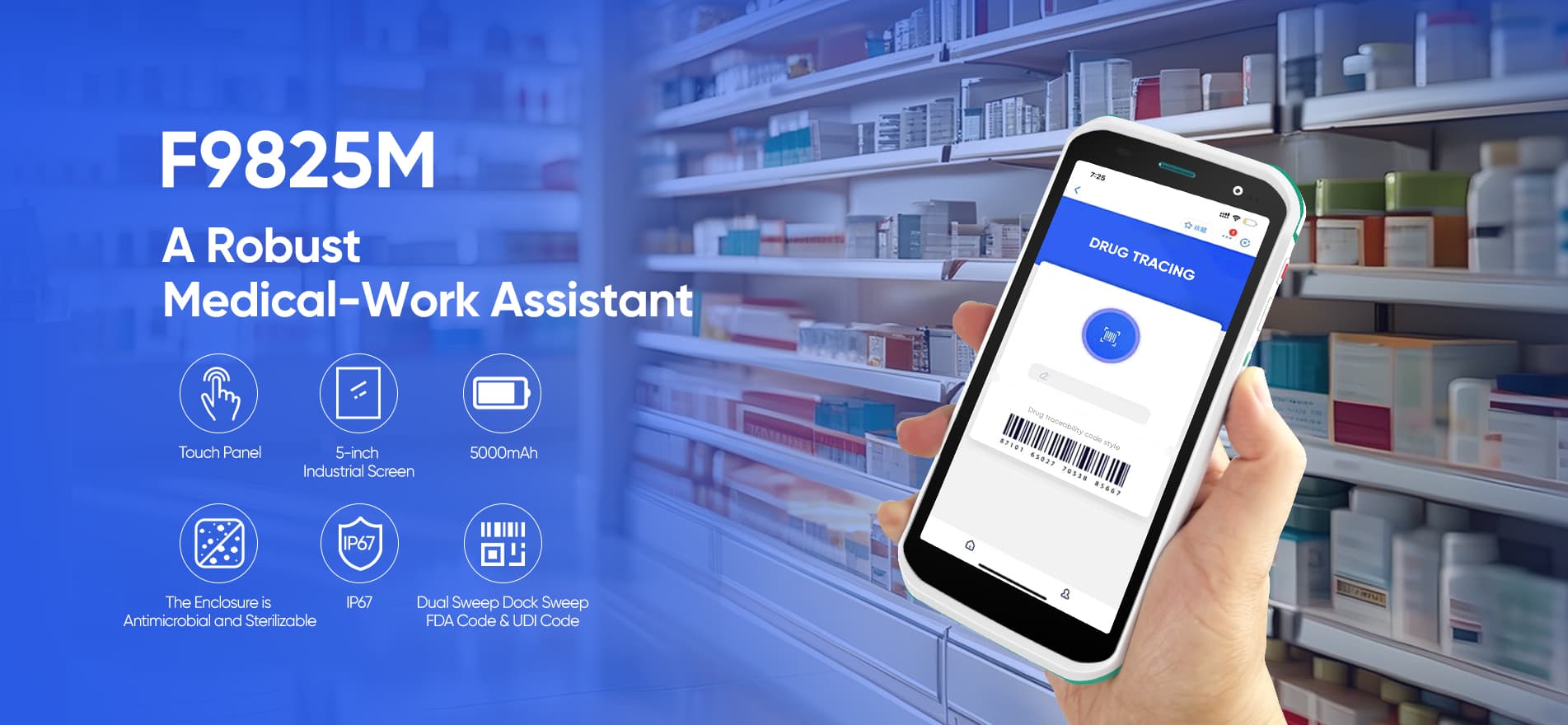
Tech Edge: Devices like FYJ F9825M feature noise-canceling microphones for clear communication in chaotic ERs and 5G connectivity with <200ms latency.


Result: Truman Medical Centers reduced dropped calls to one per week after deploying FYJ F9825M devices, accelerating emergency response times.


FYJ Healthcare Mobile Computer


2️⃣ Enhanced Clinical Decision-Making

Painpoint: 47% of medication errors occur due to inaccessible patient histories at the point of care.

Solution: Mobile Computers for Healthcare provide instant EHR access, drug interaction databases, and AI-powered diagnostic aids.

Tech Edge: Rugged tablets with medical-grade IPS displays (1000-nit brightness) ensure readability during bedside rounds, even under bright lights 57. HIPAA-compliant encryption protects data during transmission.


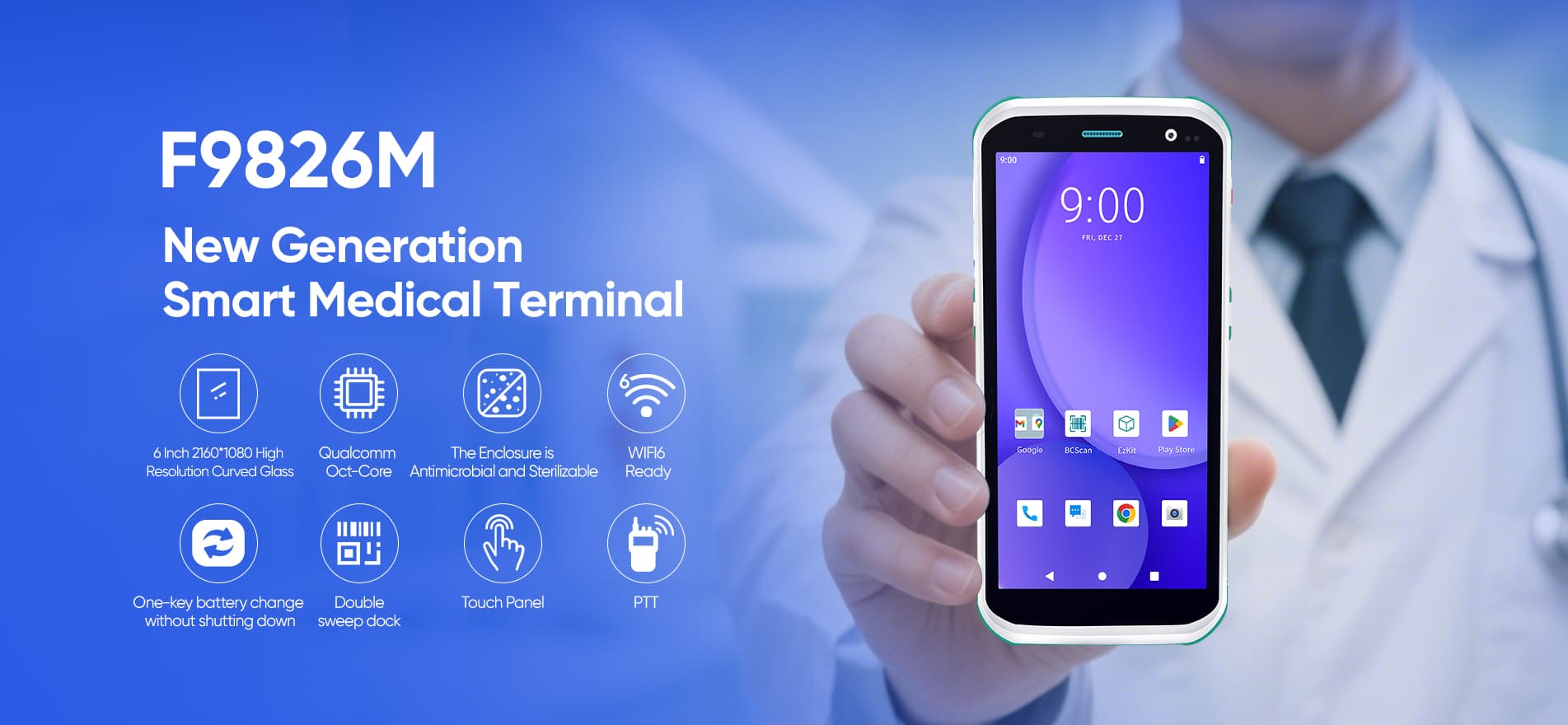
Result: Memorial Hermann Health System cut medication errors by 60% using FYJ F9826M devices for “5 Rights” verification (right patient/drug/dose/time/staff).


FYJ Healthcare Handheld Terminal


3️⃣ Cost Reduction Through Workflow Optimization

Painpoint: Nurses spend 70 minutes daily on manual documentation—time stolen from patient care.

Solution: Mobile Computers in Medical Staff workflows automate charting, inventory, and billing via barcode/RFID scanning.

Tech Edge: Dual hot-swappable batteries (4,300mAh) support 24-hour shifts without charging downtime. IP68-rated housings withstand repeated alcohol wipes.


Result: Hospitals using FYJ F9826 5G devices reduced IV prep time by 80%, freeing pharmacists for clinical tasks.


4️⃣ Efficient Health Record Maintenance

Painpoint: Paper records cause 30% of test duplication and delay treatments by hours.

Solution: Healthcare Mobile Computers sync with cloud-based EHRs, capturing vitals/images directly into digital records.

Tech Edge: JISZ2801-certified antibacterial casings eliminate pathogen transmission risks during device sharing.Integrated 13MP cameras document wounds without removing bandages.


Result: Cleveland Clinic’s home care division increased daily patient visits from 8 to 25 via real-time IoT vital sign uploads.


5️⃣ Operational Efficiency Gains

Painpoint: Static workstations (COWs) occupy 11% of ward space and obstruct emergency movements.

Solution: Handheld Healthcare Mobile Computing devices replace clunky carts with pocket-sized power.

Tech Edge: 250g ultra-light designs with ergonomic grips prevent staff fatigue during 12-hour shifts. 1.8m drop resistance ensures ICU durability.


Result: Singapore National University Hospital’s pharmacy slashed drug verification time from 15→3 minutes using RFID-enabled PDAs.


FAQ: Healthcare Mobile Computers Demystified

Question Answer
Do they replace tablets? Yes—ruggedized designs survive 1,500+ alcohol wipes; consumer tablets fail after 200.
How secure is patient data? AES-256 encryption + biometric login exceed HIPAA/GDPR mandates.
Can they integrate with our EHR? 98% compatibility with Epic, Cerner, etc., via HL7/FHIR APIs.


-end-

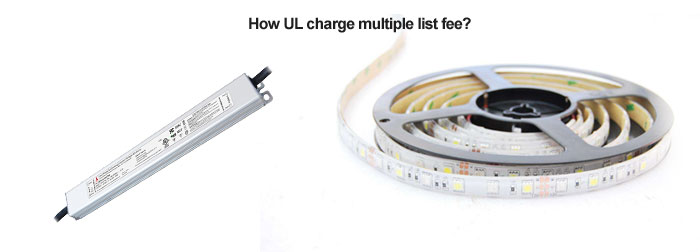
As we know if you want do customized UL logo with your own company logo then as per UL requirement, we should do multiple list firstly. Then before start, we should know how much the list fee do we need to pay for ML UL listed drivers.

There have two situation:1) you have your own UL number for ML UL led drivers, and check if the document name/CCN(s) is FKSZ,. If so, per UL it is free to ML UL then. 2) if you dont have your own UL number for drivers, then we’ll help you apply a new UL number. The cost for ML UL is US$1800, while there are annual fee changing every years, confirm by UL bill.

We have many UL listed dimmable and non-dimmable led driver, power supply. They are 7 years warranty, high PF>0.95, high efficiency>90%. About shape, swinpower has super slim version, height<20mm for some projects with narrow space to led power supply. While for metal box, we have driver with junction box integrated version, it can be used at dry, damp, wet location for outdoor projects.


UL led driver


We will compare the differences from six aspects: function, structure, cost price, production technology, switch size (appearance), technical level.


1. Function comparison:

The tact switch can turn on the power with just a light touch, and it will be disconnected when you release it. The power is turned on and off by the bounce of the metal shrapnel; the membrane switch is the button on the surface that is pressed by hand, and the button contact point is with the lower layer. The corresponding part of the contact point of the contact is contacted to form a galvanic connection;


2. Structure comparison:

Tact switches cannot be used alone, they must be used in combination with PCB circuit boards to form a complete control system; membrane switches integrate panels, switches, and conductive circuits to form a complete control independently The system can provide customers with an overall switch solution.


3. Manufacturing cost analysis:

The cost of tact switches is relatively low compared to membrane switches. The tact switch will not produce large price fluctuations due to fluctuations in the raw material market, while the relatively high price and large volume of membrane switches are greatly affected by the price of raw materials.


4. The difference in production process:

The process of membrane switch includes: silk screen, die cutting, assembly, testing and other processes. The process of the tact switch includes: stamping, injection molding, cleaning, assembly, molding, inspection and other processes;


5. Switch size and appearance:

Membrane switches can be customized according to customer requirements, with different appearances, sizes, and colors, which are convenient and flexible to use; the tact switch is relatively small in size and belongs to standard parts. The size and related parameters need to be combined with industry standards. The color is relatively single;


6. Technical requirements:

The precision of the tact switch is relatively high, and the coordination of various parts directly affects the feel and function of the product, and has higher requirements on the performance of the product; Membrane switch is relatively more strict, it is also very important to the appearance of the product and color;


The WNHVIPT-1 through-wall series connector is a high-voltage shielded connector with a plastic housing, meticulously developed by WAIN for internal high-voltage connections in new energy vehicles. This connector is widely applicable in passenger vehicles, construction machinery, special-purpose vehicles, as well as key components such as electric motors and motor controllers for electric motorcycles.
With extensive technical expertise and a comprehensive product portfolio in this field, WAIN ensures that the WNHVIPT-1 series connectors are perfectly compatible with shielded cables of various specifications, covering different wire sizes from 2.5mm² to 95mm². This versatility fully meets the demands of diverse application scenarios.
Additionally, the series excels in current-carrying capacity, supporting up to 320A MAX, making it ideal for high-power, high-current operating environments. 


In today's competitive hospitality industry, every detail shapes guest satisfaction. Headboard lamps have emerged as a silent powerhouse, and evolved from a niche feature to an essential element in modern guest room design. When selecting a hotel headboard light fixture, consider the following factors.


1. Functionality and Purpose


The primary function is often reading, however they can also be a source of indirect mood lighting. Determine which way you are most likely to use it.


2. Fixed or Adjustable


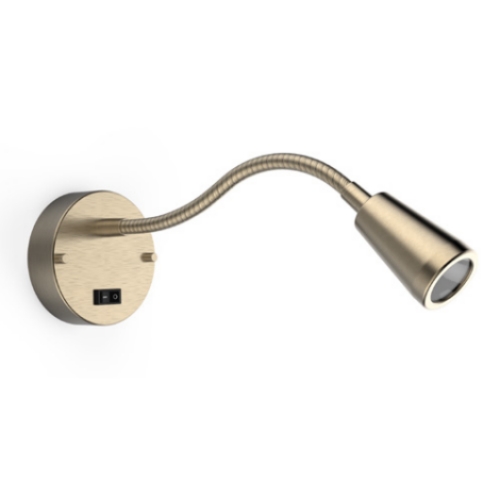
The lights with adjustable function are highly desirable, goose necks or adjustable arms or swivel heads allow each guest to position light exactly where they need it. On the other hand, fixed lights do not move and the usage is incredibly limited.


3. Brightness Levels


Offering dimmable options allows guests to adjust the brightness to their preference, creating different moods or catering to varying light sensitivities.


Gooseneck reading lamp
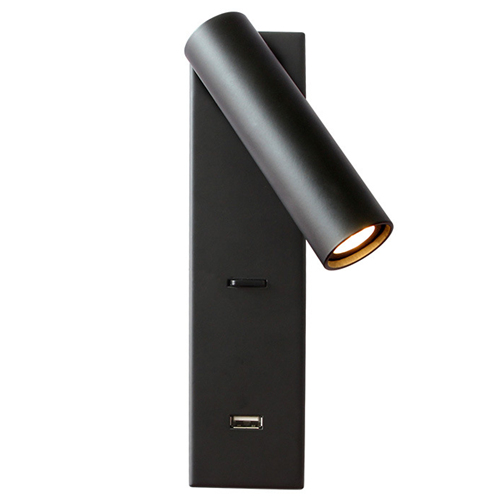
Bedside LED reading light with USB


4. Integrated Features


Built‑in USB charging ports or power outlets or touch‑switch activation in the base offer immense convenience to tech‑savvy travelers.


5. Mounting Style


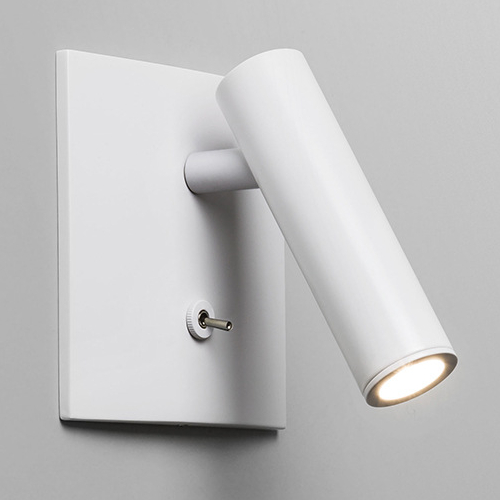
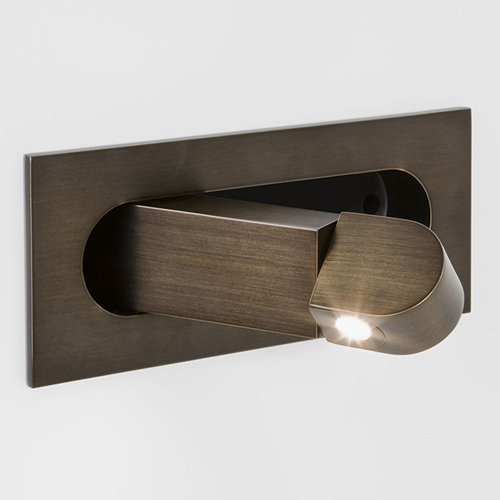
Consider whether you want to mount the light on the headboard or the wall. You can choose recessed fixtures or surface mounted fixtures for both applications.


Wall LED reading lamp with switch
Hotel LED reading light headboard


6. Design Harmony


Choose finishes, shapes, and materials that reflect your property's aesthetic and complement the overall interior design of the hotel room. Whether sleek and minimal, classic and ornate, or rustic and natural, it can blend seamlessly into the surrounding.


At Sunwin, we provide headboard lights to exceed hospitality demands. As a top hotel project lamps vendor in China, we help properties worldwide merge style, function, and efficiency - proving that the smallest details often shine brightest. Ready to transform your rooms? Explore Sunwin's Headboard Lighting Collection or contact us now sales@sunwinhotellighting.com!