The RTX 5090 stands as the best GPU for gaming and AI. You get unmatched power from the NVIDIA GeForce RTX 5090, and no other GPU comes close. This gaming flagship delivers three pillars of dominance. First, massive compute from 21,760 CUDA cores drives frame rates. Second, DLSS 4.5 with Multi-Frame Generation boosts 4K path-traced titles by up to 35%, according to NVIDIA benchmarks. Third, 32GB GDDR7 accelerates model training. The rtx 5090 specs include PCIe 5.0 x16 and DisplayPort 2.1. This performance sets a new bar. Benchmarks, specs, and head-to-head comparisons back every claim. This GPU redefines what a graphics card can achieve, and no other GPU matches it.
Key Takeaways
-
The RTX 5090 dominates gaming with 21,760 CUDA cores and DLSS 4.5, delivering smooth 4K and 8K gameplay.
-
Its 680 Tensor Cores and 32GB GDDR7 memory accelerate AI training and inference, handling large models with ease.
-
You get 78% more memory bandwidth than the RTX 4090, speeding up data-intensive tasks like model training and 8K video editing.
-
The card requires a 950W power supply due to its 575W power draw, so plan for a robust PSU.
-
Upgrade if you demand maximum performance for gaming, AI, or professional work; skip it if you game at 1080p.
RTX 5090 Gaming Performance
Raw Power and Benchmarks
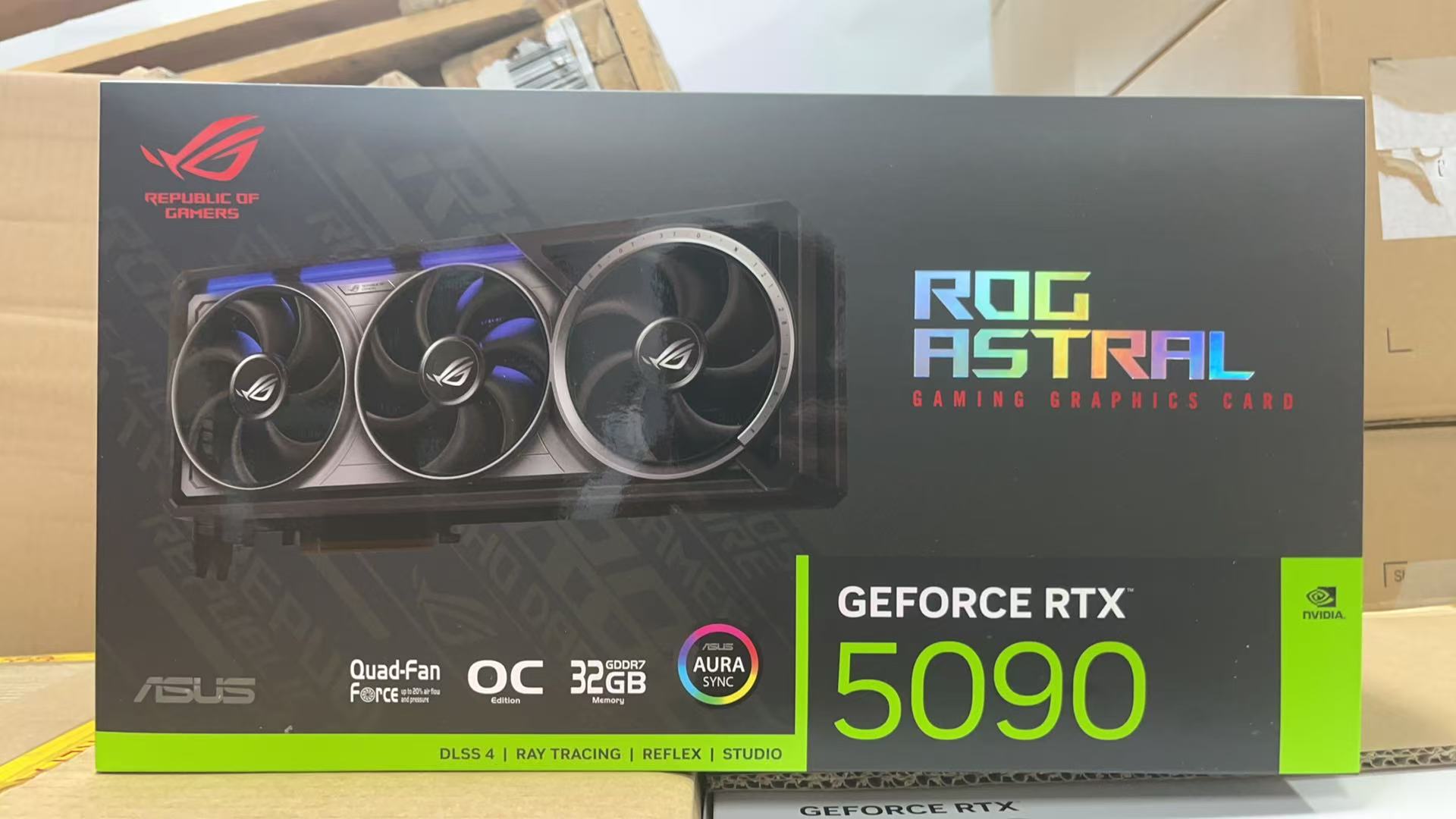
The Blackwell architecture powers every frame you render on the RTX 5090. At its core, you find 21,760 CUDA cores and 170 fourth-generation RT cores. These numbers represent a roughly 33% increase over the previous flagship. The table below shows the direct comparison.
|
Specification |
RTX 5090 |
RTX 4090 |
|---|---|---|
|
CUDA Cores |
21,760 |
16,384 |
|
RT Cores |
170 |
128 |
This jump in raw hardware translates directly to gaming benchmarks. In 3DMark Port Royal, a ray-tracing focused test, the RTX 5090 scores 46,823 with an Intel Core i9-14900K. A second entry with an AMD Ryzen 9 9950X3D reaches 46,808. In Time Spy Extreme, a DirectX 12 benchmark at 4K resolution, the card posts 26,815 with the Ryzen 9 9950X3D. These results place the GPU at the top of the Hall of Fame leaderboards. You get smooth 4K gameplay in every modern title. At 8K, the card maintains playable frame rates in demanding engines. The rtx 5090 specs include PCIe 5.0 x16 for ultra-low latency. DisplayPort 2.1 and HDMI 2.1 outputs support high-refresh 4K and 8K monitors. This connectivity ensures your display never bottlenecks the graphics processor.
Ray Tracing and DLSS 4.5
Ray tracing on this GPU reaches new heights. The 170 fourth-generation RT cores handle real-time path tracing with remarkable efficiency. You see photorealistic lighting, shadows, and reflections in supported games. The RTX 5090 pairs this hardware with DLSS 4.5 and Multi-Frame Generation. This technology inserts additional frames between rendered ones. Frame rates in demanding titles climb significantly as a result. NVIDIA designed DLSS 4.5 to work across a broad library of games. You enable it in settings and gain performance without major visual compromise. The combination of strong RT hardware and DLSS makes 4K path tracing a practical option.
The geforce rtx 5090 also benefits from high memory bandwidth. Its 32GB of GDDR7 VRAM on a 512-bit bus delivers up to 1,792 GB/s. This memory bandwidth feeds the GPU with data quickly. High memory bandwidth matters for large textures and complex scenes. The card sustains consistent frame delivery because of this memory bandwidth advantage. For competitive gaming, PCIe 5.0 x16 reduces latency further. You react faster in fast-paced titles. The RTX 5090 delivers a gaming experience that no rival matches. Its real-world benchmark performance in ray-traced games sets the standard. Every benchmark confirms the card's dominance in the gaming space.
NVIDIA AI Performance and Workloads
Tensor Cores and 32GB GDDR7
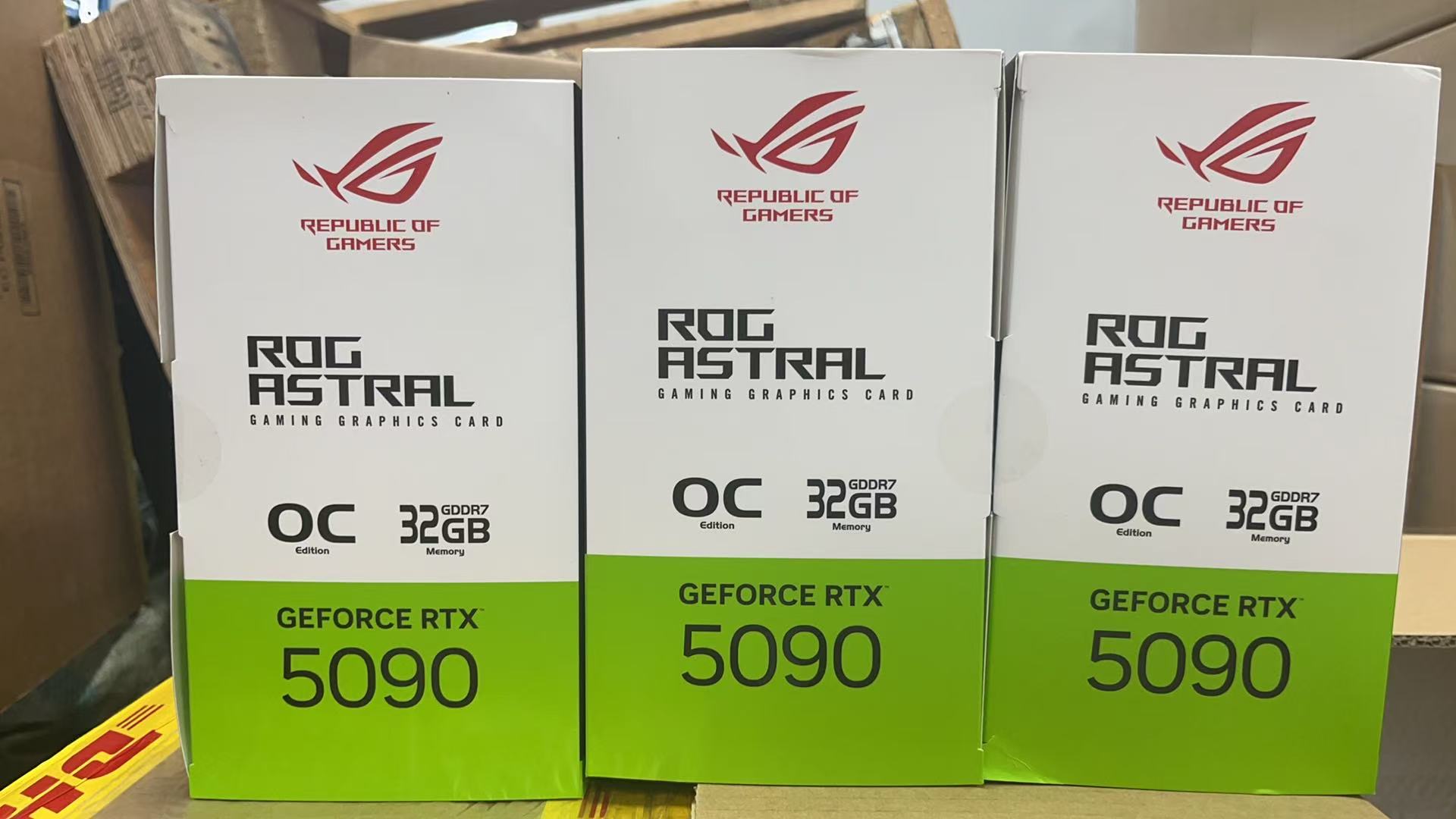
The RTX 5090 transforms AI workloads through its fifth-generation Tensor Cores. These specialized units accelerate matrix operations at the heart of every neural network. You get 32GB GDDR7 VRAM on a 512-bit bus, a configuration that handles massive datasets without swapping to system memory. The memory bandwidth reaches 1,792 GB/s. Compare that figure to the RTX 4090's 1,008 GB/s. You gain a 78% increase in memory bandwidth. This advantage matters when you train large language models or process high-resolution images. The geforce rtx 5090 feeds data to its cuda cores at extraordinary speed.
Your model training completes faster because the gpu never waits for data. The 32 gb gddr7 vram also supports inference on models that exceed 24GB. You run larger batches and achieve higher throughput. Scientific computing benefits from this memory bandwidth as well. Simulations in fluid dynamics or molecular modeling demand rapid data access. The rtx 5090 delivers that access consistently. Hardware power loss protection adds enterprise-level reliability. Your long training runs survive unexpected power events without data corruption. This feature separates the rtx 5090 from consumer-grade gpu options.
Software Ecosystem and AI Benchmarks
NVIDIA maintains the CUDA ecosystem as the industry standard for AI development. You access optimized libraries for deep learning, computer vision, and scientific computing. Popular frameworks like PyTorch and TensorFlow run natively on this platform. The gpu accelerates model training, inference, and fine-tuning tasks. Real-world benchmarks confirm the performance advantage. In ResNet-50 training, the RTX 5090 processes 1,128.6 samples per second at FP32 precision. The RTX 4090 manages 757.5 samples per second. At FP16 precision, the rtx 5090 reaches 1,623.9 samples per second. The previous flagship delivers 1,360.6 samples per second. These results show consistent gains across precision modes. Your deep learning pipelines finish sooner. The gpu also excels at inference workloads. You deploy trained models with lower latency. Scientific computing applications benefit from the same architecture.
Researchers run simulations that previously required multiple gpu units. The CUDA ecosystem supports these workloads with mature tools. You find documentation, community support, and enterprise assistance readily available. The dlss technology also leverages Tensor Cores for gaming. This dual-purpose design makes the rtx 5090 valuable for both AI research and entertainment. The gpu handles professional 3D rendering and CGI production efficiently. Video editors achieve real-time 8K playback. Virtual production studios rely on this performance for digital twins. The gpu meets enterprise reliability standards. Hardware power loss protection ensures your work survives power interruptions. The rtx 5090 stands as the definitive choice for AI professionals who demand maximum performance.
Versus Previous-Gen Flagships
You see the biggest gains when you place the rtx 5090 vs rtx 4090 side by side. The newer card carries 21,760 CUDA cores against 16,384, and its 32GB of GDDR7 memory doubles the older 24GB buffer. Memory bandwidth climbs from 1,008 GB/s to 1,792 GB/s, a 78% increase. That extra memory bandwidth feeds large language models and 8K textures without stalling. In ResNet-50 training, the rtx 5090 hits 1,128.6 samples per second at FP32, while the RTX 4090 manages 757.5. Your training runs finish sooner, and your inference latency drops.
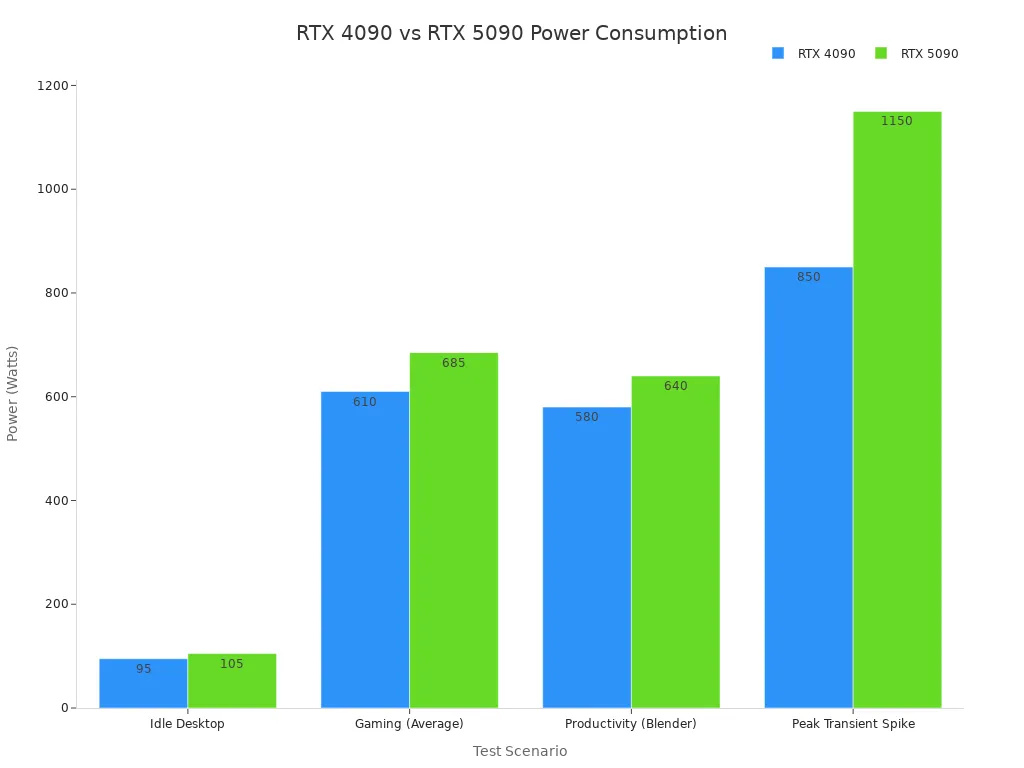
Power tells a similar story. The rtx 5090 specs list a 575W rating against the RTX 4090's 450W. Under gaming load, the newer card draws 685W versus 610W. Peak transient spikes reach 1,150W compared with 850W. You need a 950W power supply, not the 850W unit the older flagship recommends.
The RTX 5090 is rated at 575 W versus the RTX 4090's 450 W, representing a significant increase in power consumption alongside its performance gain.
Versus Current-Gen Competitors
AMD's RX 7900 XTX draws 355W at full load and pairs with an 800W PSU. The rtx 5090 consumes more power, yet it returns far greater performance in gaming and ai tasks. Its CUDA ecosystem gives it a software advantage no rival matches. Professional workloads like 3D rendering and CGI production run faster on this gpu.
The rtx 5090 price reflects this gap. You pay more upfront, and the cost extends to cooling and power delivery. A robust case and a quality 950W unit add to the total cost. Still, no competing gpu delivers the same benchmark results. The rtx 5090 earns its place as the top graphics card for buyers who need maximum performance.
The rtx 5090 earns its title as the best GPU for gaming and AI. You see the evidence in every benchmark. The nvidia geforce rtx 5090 delivers unmatched frame rates at 4K and 8K. Its 32GB GDDR7 accelerates model training. This gpu suits 4K and 8K gamers, AI researchers, content creators, and workstation users. You may skip this gpu if you game at 1080p. The cost and price reflect flagship status. You also need a 950W power supply. The nvidia gpu sets the bar for future generations. No other gpu matches this performance. The best graphics cards will follow this gpu's lead. The cost of entry is high.
FAQ
What power supply do you need for the RTX 5090?
You need a 950W power supply unit. The card draws 575W under load, and transient spikes reach higher levels. A quality unit with robust delivery prevents instability. The rtx 5090 demands more headroom than previous flagships.
How does 32GB of VRAM help AI workloads?
You run larger models without swapping to system memory. The 32GB of vram handles big language models and high-resolution datasets. Training completes faster because the gpu accesses data quickly. This capacity supports inference on models that exceed 24GB.
Does DLSS 4.5 improve gaming performance?
Yes. DLSS 4.5 with Multi-Frame Generation inserts additional frames between rendered ones. Frame rates climb significantly in demanding titles. You enable it in settings and gain smooth 4K path tracing. This technology works across a broad game library.
Should you upgrade from an RTX 4090?
You gain 78% more memory bandwidth and roughly 33% more CUDA cores. The nvidia gpu trains models faster and renders 8K content smoothly. The cost of entry is high, and you need a new power supply. Upgrade if you demand maximum performance.
Does this GPU support professional workloads?
Yes. The nvidia gpu handles 3D rendering, CGI production, and real-time 8K video editing. Hardware power loss protection adds enterprise reliability. The CUDA ecosystem supports deep learning and scientific computing. This gpu meets workstation demands.