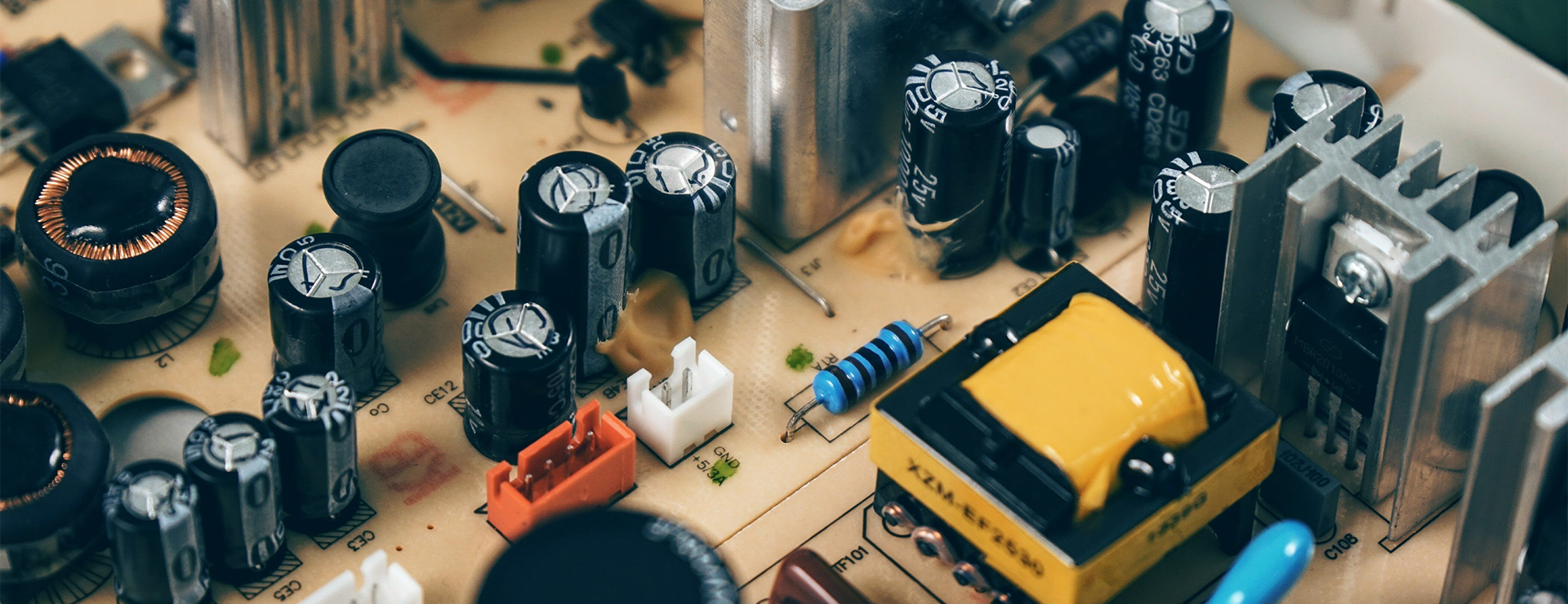
You want your color TFT display screen modules to work well in 2025. The best models give bright screens, sharp pictures, and simple setup. Being able to see the screen in sunlight is very important for outdoor use.

  • Sunlight-readable displays have high brightness, usually over 1000 nits, so you can see them in bright sunlight.

  • Anti-reflective coatings and tough designs help the screen stay clear and strong.

  • Special features make sure you see sharp images even outside in tough weather.

You should pick a display that fits your space and what you need.


Top TFT Display Modules 2025

Leading Models

You want a good tft display module for your project. In 2025, two models are very popular. The DISPLAY VISIONS TFT040-77AINN is very bright and works in factories. This model is strong and keeps pictures clear in sunlight. The DISPLAY VISIONS TFT024-23ATNN is good for phones and outdoor use. You can see the screen in sunlight and it works well when you move.

Many TFT display manufacturers in China make these TFT LCD display modules. You see them in kiosks, cars, and smart gadgets. These modules show clear pictures and let you use touch controls easily. You find them where you need tough screens and easy setup.

Tip: When picking a tft display module, check if it is bright enough and strong. You want a module that fits your needs and works where you use it.


Key Features

You should know what makes TFT touch screen shield display module special in 2025. The table below lists the main things to look for when you compare models from tft display manufacturers in china.

Feature

Description

Energy-efficient designs

Uses memory-type liquid crystal technology to save power.

Enhanced color performance

Uses perovskite nanocrystal films for brighter and more vibrant colors.

Advanced industrial features

Has built-in processing and communication for smart device integration.

Ruggedized displays

Handles extreme conditions for outdoor and harsh environments.

Touch screen functionalities

Gives you easy and intuitive touch controls.

Improved backlighting systems

Responds quickly and shows clear images.


You see these things in the newest tft lcd display modules. Many tft display manufacturers in china focus on saving energy and making strong products. You get modules that last longer and use less power.

The tft display module market is getting bigger. More people want tft lcd display modules for electronics, cars, and health devices. Here are some trends for 2025:

  • The market will grow from $28.6 billion in 2025 to $45 billion by 2035.

  • The market grows about 4.6% each year.

  • More smartphones use tft lcd display modules, with 8 billion subscriptions.

  • Car displays now cost over 15% of making a car.

  • Health devices use more tft display modules, with remote monitoring growing by at least 25%.

You have many choices from high resolution TFT display module manufacturers in china. You can get modules for any need, like bright outdoor screens or power-saving indoor displays.


Sunlight Readability


Brightness Ratings

You need a display that looks clear outside. Sunlight-readable screens help you see in bright places. Most regular screens are only 200 to 300 nits bright. That is not enough for outdoor use. For outside, you need TFT display modules with much higher brightness.


The table below shows the lowest brightness you need for different outdoor places:

Condition

Minimum Brightness (nits)

Semi-outdoor

1000–1500

Direct sunlight

2000–5000


Displays with 1000 nits or more let you read in sunlight. If you use your device in direct sunlight, you need 2500 to 5000 nits. Some top models reach these numbers and show sharp images even when the sun is strong.

Tip: Always check the brightness before you pick a display for outside. More brightness means you can see better.


Outdoor Performance

You want your display to work well outside, even in direct sunlight. Anti-glare and anti-reflective coatings help you see the screen. These coatings cut down on reflections and glare. They make the display easier to read when it is bright outside. Optical bonding also helps you see better and makes the display last longer.

High-brightness TFT LCDs give 800 to 1000 nits for sunlight readability. The best models can go up to 2500 nits, so you get clear images in direct sunlight. Transflective TFT LCDs use light around you to make the screen brighter and colors better. These features help you use your device outside, in kiosks, or in handheld gadgets.

If you use your display in dim places, these features still help. You get better contrast and less glare, so the screen is easy to read. You can trust these displays for outdoor kiosks, factory controls, and smart devices.

Note: Anti-glare and anti-reflective coatings are important for outdoor screens. They help you see in sunlight and keep the screen safe from scratches.


Power Efficiency

Low Power Features

You want your device to last longer without charging. Modern TFT display modules use smart ways to save energy. These features help your device work better and stay cool. The table below shows the main types of energy-saving display technologies:

Technology Type

Description

Energy Efficiency Advantage

Reflective LCDs

Use sunlight for contrast. Good for simple devices like calculators.

Use less power by using sunlight.

Transmissive Displays

Have backlights built in. Work well in places that are not too bright.

Use more power when it is very bright.

Transflective Displays

Mix reflective and transmissive features for all lighting.

Stay efficient in many lighting conditions.

MIP Technology

Used in wearables. Can be reflective or transflective.

Very low energy use for long times.

Passive Matrix OLEDs

Save energy in dark mode with little image content.

Save a lot of power when showing less.

E-paper Technology

Holds images without power until you change the screen.

Uses almost no power for still images.


You can find these features in DISPLAY VISIONS low-power models. These displays use less energy and handle heat well. You get a screen that lasts longer and stays safe in tough places.

Tip: Pick modules with good thermal management. They keep your device cool and help it last longer.


Battery Impact

You want your portable device to last a long time. Low-power TFT displays help you do this. They use less energy, so your device works for hours or days without charging.

  • Longer battery life means you use your device more between charges.

  • Energy-saving displays help your device stay cool and work better.

  • Using less power means you charge less and your battery stays healthy.

Choosing an energy-saving TFT display is smart. The display uses a lot of power in your device. If you pick a low-power module, your battery lasts longer and you get a better experience. Your device also works well for tough jobs, like outdoor kiosks or medical tools.


Display Quality

Resolution

You want your display to show clear pictures and text. In 2025, high-brightness TFT display modules come in different resolutions. The right resolution helps you see small details. This makes your experience better. Here are some common choices:

Resolution

Description

320x240

Standard resolution for basic applications.

480x320

Higher resolution preferred for detailed graphics.


A higher resolution means more pixels on the screen. You get smoother lines and better images. For simple things, 320x240 is enough. If you need to see maps or photos, 480x320 is better. Good resolution also helps you see dark and light parts clearly.


Color Accuracy

You want the colors on your screen to look bright and real. Color accuracy is important for photos, videos, and charts. The Color Rendering Index (CRI) shows how true the colors look.

  • CRI helps you check if colors look real on displays.

  • A CRI over 90 means colors look natural and true.

  • Most everyday displays have a CRI between 80 and 89.

  • Professional screens need a CRI of 90 or more for the best color accuracy.

High CRI values help you see real colors. This makes it easier to notice differences and see contrast between shades.


Touch Responsiveness

You want your touch screen to react fast when you tap or swipe. Fast response times make your device easy to use. The table below shows how top TFT display modules work:

Product

Resolution

Size (inches)

Response Time (ms)

Touch Technology

Product A

1920x1080

10.1

8

Capacitive

Product B

1280x800

7.0

10

Resistive


Most top modules respond in 8 to 10 milliseconds. You get quick feedback, which is good for games or drawing. Capacitive touch screens usually react faster than resistive ones. Fast touch response helps you work quickly and makes your device more fun.

Tip: Always look at the response time if you want smooth touch controls.


TFT Display Module Installation

Mounting Options

You want your TFT display module to stay secure and look good in your device. You can choose from several mounting options. Each method works best for different needs. The table below shows the most common ways to mount your display:

Mounting Technique

Description

Bezels

Give your display a strong frame. Bezels protect the edges and hide screws or clips. You see bezels in many finished products.

Brackets

Hold the display steady. Brackets work well in tough places like factories. They keep the screen from bending or moving.

Clips

Let you attach the display quickly. Clips are great for testing or building a prototype. They do not last as long as other methods.

Adhesive Tape

Stick the display in place. This method saves space in small devices. You must apply the tape carefully to avoid stress on the screen.


You can pick the mounting option that fits your project. Bezels and brackets give you the most support. Clips and tape help when you need a fast or compact solution.

Tip: Always check the mounting method before you buy a display. The right choice makes installation easier and keeps your screen safe.


Integration

You want your TFT display module to work with your system. Most modern modules offer plug-and-play features. You can connect them to many types of hardware without extra steps. This makes setup fast and simple.

TFT display modules fit into many industries:

  • In cars, you see them in infotainment systems and control panels. They connect with systems like CAN bus and work in both electric and gas vehicles.

  • In factories, you use them for machine controls and monitors. These displays handle bright lights and tough conditions.

  • In hospitals, you find them in medical equipment. They show clear images and respond quickly to touch.

  • In consumer electronics, you enjoy sharp visuals and fast touch for phones and tablets.

You get sharp images and fast response times. Many modules come in small sizes, so you can use them in tight spaces. You can trust these displays to work with your existing systems. They help you build better products for any industry.

Note: Always check if the display matches your system’s needs. Good compatibility saves you time and trouble during installation.


Cost and Value

Price Range

You want to know how much high-brightness TFT display modules cost in 2025. Prices can change based on how bright the screen is and what features you need. The table below shows the typical price range for these displays:

Brightness Type

Price Range

High Brightness

$30 – $150

Sunlight Readable

$80 – $300


You see that high-brightness modules start at $30. Sunlight-readable models can cost up to $300. If you need a display for outdoor use, you may pay more for extra brightness and special coatings. You should compare prices and features before you buy. Sometimes, paying a little more gives you a display that lasts longer and works better in tough places.

Tip: Always match the display’s features to your needs. You do not want to pay for features you will not use.


Reliability

You want your display to work well every day. Reliable TFT display modules use strong materials and pass many tests. These displays handle heat, cold, and shaking. You can trust them in cars, factories, and outdoor kiosks. Good modules keep working even if you use them for many hours each day.

You should look for displays with a strong build and good reviews. Reliable modules save you money because you do not need to replace them often. You also avoid problems with your devices. If you use your display in a busy place, pick a model known for lasting a long time.


Warranty

You want to feel safe when you buy a display. Leading manufacturers offer clear warranty terms. Most standard warranties last 12 months from the shipping date. Some companies let you buy longer coverage, up to 36 months. The table below explains what you get with a typical warranty:

Warranty Aspect

Details

Standard Warranty Period

12 months from shipping date; extended options up to 36 months available

Coverage

Defects in materials and workmanship under normal use

Exclusions

Damage from improper use, over-voltage, mechanical stress, or natural aging

Claims Process

Contact your sales manager with purchase details and a description of the problem

Resolution

Repair, replacement, or credit offset, depending on the situation


You should always read the warranty details before you buy. A good warranty protects you if something goes wrong. If you install and use the display as the maker says, you get help if there is a problem. This gives you peace of mind and helps you trust your purchase.


Recommendations by Use Case

Outdoor Kiosks

You need a display that works in sun, rain, and dust. Outdoor kiosks do best with TFT modules that are bright and tough. Pick screens with at least 800 nits brightness. Anti-glare and anti-reflective coatings help you see in sunlight. Waterproof and dustproof designs keep the display safe in bad weather. Some models change brightness by themselves when the light changes.

Feature

Benefit

Brightness (800+ nits)

Easy to see in sunlight

Anti-glare Coating

Makes the screen easier to see

IP-rated Protection

Keeps out water and dust

Rugged Build

Stays strong outside

Auto Brightness

Changes brightness when the light changes

Tip: Pick a display that works in hot and cold weather. This helps your kiosk work in summer and winter.


Industrial

You need a display that can handle hard work. Industrial TFT modules work in factories, warehouses, and vehicles. These displays can take shaking and very hot or cold temperatures. Many models work from -30°C to +85°C. They last for many hours and support LVDS, RGB, and SPI.

  • Works from -30°C to +85°C

  • Brightness from 500 to 1500 nits

  • Lasts 30,000 to 70,000 hours

  • Handles shock and vibration

Industrial displays help machines work and keep people safe. You can trust them in busy and rough places.


Consumer Devices

You want a display that looks good and saves power. Consumer devices like phones and smart home panels need high resolution and bright colors. Touchscreens should react fast. Low power use helps your battery last longer. Many new models use better technology for bright colors and less energy.

  • High resolution for sharp images

  • Fast touch response

  • Low power for longer battery life

  • Small size for thin devices

The TFT display market is getting bigger. Over 200 million units ship every year. Experts think the market will grow 8% to 12% each year. More people want smart devices, so you have more choices now.

Note: Always pick a display that fits your device. Think about size, brightness, and how you will use it.


You can find the best TFT display modules for 2025 by looking at reviews, prices, and if they follow rules. The table below shows important things to compare:

Supplier Name

Review Score

Price per Unit

Compliance

Shenzhen Toppop Electronic Co.,ltd

5.0

$0.70

RoHS, CE


When you pick a module, check if you can see it in sunlight. Make sure it saves power and does not cost too much. A transflective tft panel is good for outdoor use. Custom tft display solutions help your device fit where you use it. Always look at datasheets for temperature, voltage, and how it connects. Read what other users say to avoid mistakes.

If you want a screen with bright colors and deep blacks, you might pick an oled display. OLED displays are special because they use less energy, have better contrast, and are thin and light. You can see the screen well from many angles, so it looks good almost anywhere. But oled displays also have some problems. They cost more money, and they do not last as long as LCDs. You might see burn-in or damage if you use your oled in hot or wet places. Here is a quick look at the good and bad sides:

Advantages

Disadvantages

Uses less energy

Does not last as long

Thin and light

Costs more money

Better contrast and wide angles

Can get hurt by heat or wet places


Key Takeaways

  • OLED displays show great picture quality. They have deep blacks and bright colors. This makes them good for movies and games. These screens use less energy with dark images. This helps devices last longer on battery. OLED technology lets screens be thin and bendable. This helps make cool products like foldable phones and curved TVs. Watch out for burn-in problems. Do not leave the same image on the screen for too long. This keeps the display looking good. Think about your budget. OLED displays usually cost more than LCDs. They may not last as long either.


What Is OLED Display Technology

How OLED Displays Work

You might ask why an oled screen is not like other screens. OLED means "organic light-emitting diode." This means the screen uses special organic stuff that glows when electricity goes through it. Each pixel in an oled makes its own light. So, you do not need a backlight like LCD screens do.

Here’s an easy way to see how an oled works:

Component

Function

Substrate

The bottom layer, made of plastic, glass, or metal foil.

Anode

Sends positive charges into the organic layers.

Hole Injection Layer

Helps move positive charges deeper into the device.

Hole Transport Layer

Carries those charges to the part that makes light.

Emissive Layer

This is where the light is made.

Blocking Layer

Keeps the light-making process working well by holding electrons in place.

Electron Transport Layer

Moves negative charges to the light-making layer.

Cathode

Sends negative charges into the organic layers.

When you turn on your oled, electricity moves through these layers. Positive charges from the anode and negative charges from the cathode meet in the emissive layer. This meeting makes energy, and that energy turns into light. Scientists call this "electroluminescence." You see bright colors and deep blacks because each pixel makes its own light.


Unique Features of OLED

OLED displays are special for a few reasons. You get great picture quality with real blacks and bright colors. The screen can be very thin and even bendy. This means you might see oled in curved TVs or foldable phones. Here’s a quick comparison:

Feature

OLED Displays

LED Displays

Picture Quality

Better, with deep blacks

Good, but not as deep

Flexibility

Can bend or curve

Stays flat and stiff

Response Time

Very fast

Slower

Viewing Angles

Looks good from almost any angle

Can lose brightness at angles

Heat Emission

Stays cool

Gets warmer

Durability

Can wear out faster

Lasts longer

Cost

Usually more expensive

More affordable

You will see oled screens use less energy and stay cooler. They do not need a backlight. You also get smooth motion and clear pictures, even during fast scenes. These things make oled a top pick for people who want the best screen.


OLED Display Advantages

Picture Quality and Contrast

When you look at an OLED display, the picture looks great. The colors are bright, and the blacks look very dark. Each pixel can turn on or off by itself. This gives you true blacks and strong contrast. You can see details in dark scenes. Bright parts look even brighter.

  • OLED displays show perfect blacks because pixels can turn off.

  • You get very high contrast, so the picture stands out.

  • The colors look real and bright. You see many shades and tones.

  • OLED displays show better colors than most other screens.

  • The color accuracy is great, so the picture looks real.

A study tested OLED and LCD screens with black images. OLED screens gave off almost no light. LCD screens still glowed a little. This shows OLED displays have deeper blacks and better contrast. You get a lifelike picture, which is good for movies and games.


Energy Efficiency

You might wonder how OLED displays use battery power. One big benefit is they use less energy with dark images. OLED displays can turn off pixels to save power. If you use dark themes or watch movies with shadows, your battery lasts longer.

But if you use bright images or white backgrounds, OLED displays can use more power than LCDs. For example, a laptop with an OLED display might last six to seven hours with lots of white on the screen. An LCD could last ten to eleven hours. Still, most people like OLED displays because they save energy, especially with dark mode.


Thinness and Flexibility

OLED displays are not just good for pictures. They are also thin and bendy. You can find OLED screens in foldable phones, rollable TVs, and curved wearables. OLED displays do not need a backlight. This makes them lighter and easy to bend.

Feature

Description

Flexibility

OLED displays can bend, fold, or roll without breaking.

Design Freedom

No backlight means more creative shapes and thinner devices.

Curvature

OLED panels can curve tightly, even as small as 1mm radius.

You see OLED displays in new gadgets that can change shape or fold. This flexible design gives you more choices. Devices are easier to carry. You get a screen that fits your life, like a foldable phone or a curved smartwatch.


Viewing Angles

Have you ever looked at a screen from the side and seen colors fade? With OLED displays, you do not have that problem. OLED displays have wide viewing angles. You can sit almost anywhere and still see bright colors and a sharp picture.

Display Technology

Viewing Angle Characteristics

OLED

Wide viewing angles with steady brightness and color accuracy

LED and QLED

Good, but colors and brightness can change at sharp angles

OLED displays keep their picture quality even at wide angles, up to 170° × 170°. The colors stay the same, and the contrast stays strong. You get a great experience whether you sit in front or on the side. This makes OLED displays good for sharing videos or playing games with friends.

Tip: If you want the best picture quality, great color accuracy, and deep blacks, OLED displays are a great choice. You also get thin, bendy screens and wide viewing angles.


OLED Display Disadvantages

When you look at the bright side of an oled display, you see amazing colors and deep contrast. But you also need to think about the disadvantages. Every technology has its weak spots. Let’s talk about the main problems you might face with oled displays.


Burn-In Issues with OLED

Burn-in is one of the biggest disadvantages you’ll hear about with oled displays. Burn-in happens when you see a faded image or shadow on your screen that won’t go away. This problem shows up if you keep static images on your display for a long time. For example, if you leave a logo or a game score on your screen, those pixels work harder and wear out faster. You might notice burn-in after using your oled display for a couple of years.

  • About 5% of users see burn-in after two years of normal use.

  • If you use your oled display for digital signs or keep static images on the screen, burn-in can show up in just a few months.

You can lower your risk of burn-in by following some simple steps:

  1. Change what’s on your screen often. Don’t leave static images for hours.

  2. Turn down the brightness. High brightness makes burn-in worse.

  3. Use dark mode or similar settings. This helps your pixels rest.

  4. Try a white screensaver to refresh your display.

  5. If you have an LG OLED TV, use the Pixel Refresher tool.

Tip: If you want your oled display to last longer, avoid leaving static images on the screen and keep your brightness low.


Lifespan and Durability

You might wonder how long your oled display will last. The lifespan is another disadvantage you should know about. Oled displays usually last between 8 and 13 years, depending on how you use them. That’s less than some LCD displays, but more than LED displays. Here’s a quick look:

Display Type

Average Lifespan (Hours)

Average Lifespan (Years)

OLED

30,000 - 100,000

8 - 13

LCD

60,000 - 100,000

7 - 11

LED

40,000 - 60,000

4.5 - 7

Oled displays can also get damaged by heat or humidity. High temperature makes your display lose brightness and can even cause colors to change. Humidity lets water get inside, which can break your display and lower its performance.

Environmental Factor

Effect on OLED Displays

High Temperature

Makes your display fade, lose brightness, and even fail.

High Humidity

Lets water in, causes defects, and lowers performance.

If you use your oled display in a hot or wet place, you might see problems sooner. So, keep your devices cool and dry.


Cost Considerations

Cost is a big disadvantage for many people thinking about oled displays. You pay more for the great contrast and colors. The price difference is easy to see when you compare oled displays to LCD or LED displays.

Device Type

LCD Panel Cost

OLED Panel Cost

OLED Premium

55" TV Panel

~$230

~$582

2.5x

5.7" Smartphone

~$15.39

~$18.62

~20%

5.8" Flexible OLED

N/A

~$22.61

N/A

Oled displays cost more because they are harder to make. The process uses special organic materials and needs careful handling. You also pay more because oled displays don’t last as long, so you might need to replace them sooner. The price gap is getting smaller, but oled displays still cost more than LCD screens.

  • Oled displays are more expensive to produce than LCD screens.

  • The process is more complex and uses pricier materials.

  • Shorter lifespan means you might pay more over time.

If you want the best picture, you pay a higher cost. Think about your budget before you choose an oled display.


Brightness Limitations

Brightness is another disadvantage you should know about. Oled displays look great in most rooms, but they can struggle in very bright places. High-end LED monitors can get much brighter because they use strong backlights. If you use your device outside or in a sunny room, you might notice your oled display looks dim.

  • Oled displays have lower peak brightness than high-end LED monitors.

  • LED monitors work better in bright environments.

  • Brightness matters if you watch TV or play games in a sunny spot.

You get amazing contrast and colors with oled displays, but you might miss out on strong brightness. If you need a display for outdoor use or a room with lots of sunlight, think about this disadvantage before you buy.

Note: Oled displays give you deep contrast and vibrant colors, but you pay more and get less brightness in some situations. Always check your needs before you choose.


OLED vs. Other Display Technologies

OLED vs. LCD

You may wonder how oled displays compare to LCD screens. There are big differences in how they look and work. Oled displays can make perfect blacks. Each pixel turns off by itself. LCD screens use a backlight, so they cannot show true black. Colors on oled displays look brighter and more real. You also get better viewing angles. The picture stays clear even from the side.

Here’s a quick table to help you compare:

Feature

OLED Displays

LCD Displays

Black Levels

Exceptional, perfect blacks

Limited, cannot achieve true blacks

Contrast Ratios

Nearly infinite contrast ratio

Lower contrast ratios

Viewing Angles

Consistent and accurate colors

Color shifting and decreased contrast

Color Accuracy

Wide color gamut, vibrant images

Decent, but less accurate

Burn-in

Prone to burn-in over time

More resistant to burn-in

Lifespan

Generally shorter lifespan

Typically longer lifespan

If you want the best picture for movies or games, oled displays are better. LCDs last longer and cost less. They are good for everyday use.


OLED vs. LED

You see LED displays in many places, like TVs and monitors. LED screens use a backlight. This means every pixel gets the same light. Oled displays light up each pixel on its own. You get deeper blacks and better contrast. When you look at energy use, LED displays usually use less power. This is true in bright scenes.

Here’s what you should know:

  • LED TVs use a backlight, so power use stays steady.

  • Oled displays change power use based on the picture. Dark scenes use less power. Bright scenes use more power.

  • For a 65-inch TV, LED uses about 88 watts per hour. Oled uses around 116 watts per hour.

If you want to save energy, LED displays might be better. Oled displays give you better colors and contrast. But they can use more electricity.


OLED vs. Other Technologies

New display types like MicroLED are starting to show up. MicroLED displays are very bright and last a long time. Oled displays are still the best for thin and bendy screens. MicroLED displays do not have burn-in problems. They last longer. Both give you great color and contrast. MicroLED displays cost more right now.

Here’s a table to show the main differences:

Feature

OLED Displays

MicroLED Displays

Contrast Ratio

Excellent, true blacks

High, true blacks

Color Reproduction

Vibrant, wide gamut

Excellent, wide gamut

Brightness

Good

Higher

Lifespan

Shorter

Longer

Burn-in

Possible

Rare

Flexibility

Thin, bendy designs

Less flexible

Cost

Lower

Higher

You might pick oled displays for foldable phones or thin TVs. MicroLED displays work better outside and last longer. But you pay more for them.

Tip: If you want the best picture and a cool design, oled displays are a great choice. For saving energy and longer life, LED or MicroLED displays might be better for you.


OLED Buying Tips for Consumers

Best Uses for OLED Displays

You may wonder where OLED displays work best. These screens are great for some devices and situations. Look at this table to see where OLED displays give you the most benefits:

Use Case

Advantages

Televisions

Amazing picture, deep blacks, bright colors, wide angles.

Mobile Devices

Sharp images, great colors, uses less power.

Wearables

Saves power, thin, bends easily, good for curved screens.

Virtual Reality

Fast refresh, quick response, deep blacks for real feel.

Automotive

Bright screen, wide angles, saves energy, custom shapes.

Lighting

Soft light, colors and brightness can be changed.

If you enjoy watching movies or playing games, OLED screens are a smart choice. You also find them in smartwatches and car dashboards.


Who Should Buy OLED

Not everyone needs an OLED screen. Think about what is most important to you. Here are some things to think about:

  • Picture quality: OLED screens show strong contrast and bright colors.

  • Design flexibility: Devices with OLED screens are thin and light.

  • Energy efficiency: OLEDs save power with dark images, but use more with bright ones.

  • Burn-in issues: If you keep one image on the screen, you may see marks later.

  • Cost: OLED screens usually cost more than other types.

  • Compare with other screens: Mini-LED or QLED are other choices.

If you want the best picture and a slim device, OLED screens are a good pick. If you care more about price or need a screen for long, heavy use, you may want something else.


Preventing Burn-In

You can keep your OLED screen looking good by following some easy tips:

  1. Change what is on your screen often. Do not leave one image for hours.

  2. Lower the brightness. High brightness wears out pixels faster.

  3. Use dark mode when you can. This helps your screen last longer.

  4. Turn on screen savers or use tools like Pixel Refresher.

Tip: Take care of your OLED screen, and you will enjoy great pictures for years.


You have seen both the good and the bad of oled displays. These screens give you deep blacks, bright colors, and fast response times. Many people love the look and feel of an oled display. Here are some things you should think about:

  • Superior image quality with deep blacks and vibrant colors

  • Energy efficiency for longer battery life

  • Design flexibility for cool, thin devices

  • Fast response for smooth motion

Recent surveys show that most users feel happy with their oled displays:

Metric

Value

Satisfaction Rate

90%

New Models with Smart Features

80%

If you want the best picture and a modern design, oled display modules are a great pick. Think about how you use your devices and what matters most to you before you buy.

With 18 years of outdoor display manufacturing experience, CNLC leverages strong factory customization capabilities to deliver tailored Drive-Thru Digital Menu Board solutions.This gas station project deployed 30 units, combining innovative structure and integrated functionality to offer a solution that is visually appealing, practical, and highly efficient, reflecting CNLC’s expertise and flexibility as a professional factory.


Customization Highlights: Efficient and Stylish Drive-Thru Solution


This custom Drive-Thru board features dual 55-inch high-brightness LCD screens with 3500 nits, ensuring clear visibility even under direct sunlight.A 21.5-inch high-brightness operation screen, integrated with an intercom system, radar detector, speaker, and camera, delivers a complete Drive-Thru interaction experience, enhancing order and communication efficiency.The overall height is 4 meters (including the canopy), crafted from high-strength aluminum alloy for durability and elegance. The stylish canopy improves visual recognition and provides additional protection against rain and wind.


Product Features


  • Dual High-Brightness Screens: Two 55-inch LCD panels with 3500 nits, ensuring excellent visibility in outdoor sunlight.

  • Operation & Interaction System: 21.5-inch operation screen with integrated intercom, radar, camera, and audio, enabling smooth Drive-Thru interactions.

  • Durable Structure: Aluminum alloy construction, corrosion-resistant and stylish.

  • High Protection Level: IP56-rated for water and dust resistance, suitable for all outdoor environments.

  • Intelligent Temperature Control: Built-in temperature monitoring and control system ensures stable operation even under extreme weather conditions.

  • Fully Customizable Design: Screen size, structure, and appearance can all be tailored according to client requirements.


Core Advantages


  • Professional Intercom Integration: Supports CNLC’s own system and third-party HME solutions for efficient Drive-Thru communication.

  • High-Brightness Dual Screens + Operation Screen: Optimized for visual presentation and interactive experience across various scenarios.

  • Flexible Customization & Modular Design: Suitable for multiple industries, from gas stations and quick-service restaurants to retail and parking guidance systems.


Multi-Industry Application Value


This Drive-Thru Digital Menu Board is not limited to gas stations:

  • Quick Service Restaurant (QSR) Drive-Thru

  • Car Service & Fuel Station Kiosks

  • Retail & Parking Guidance Displays

  • Industrial & Corporate Campus Information Screens

CNLC’s custom design ensures brand-exclusive aesthetics and high-performance functionality in every industry.


Project Scale & Customer Feedback


This custom project deployed 30 units, and the client reported excellent feedback: the terminals are visually appealing, easy to operate, and highly functional. This successful large-scale deployment highlights CNLC’s strong factory customization and delivery capabilities.


Choose CNLC for Your Custom Drive-Thru Solution


Looking to create a unique Drive-Thru or gas station digital display solution?
CNLC, with 18 years of manufacturing experience and strong factory customization capabilities, can tailor every detail—screen size, design, functional configuration, and interactive systems—to your project requirements.
Whether for single-unit customization or large-scale deployment, we ensure fast response, high-quality delivery, and optimal project performance.

Barcelona, Spain — February 3–6, 2026 | Booth 4C400, Hall 4


CNLC, a professional OEM/ODM manufacturer and intelligent display solutions provider with over 18 years of industry experience, is set to exhibit at Integrated Systems Europe (ISE) 2026 in Barcelona. The company will showcase a comprehensive range of outdoor digital signage solutions, featuring advanced LCD and LED technologies designed for global outdoor advertising markets.


🔹 A Full Lineup of Outdoor Digital Signage Solutions


At ISE 2026, CNLC will present a full lineup of outdoor digital signage solutions, including:

  • 3500nits Double-sided Floor-standing Outdoor LCD Display — ideal for retail and public advertising spaces.

  • 2000nits Double-sided COB LCD Display — featuring compact modules and outstanding contrast for semi-outdoor locations.

  • 6500nits Double-sided LED Column Totem Display — combining elegance and performance for street and city advertising.

  • Two models of 6500nits Single-sided Outdoor LED Billboards — designed for impactful highway and roadside advertising.

  • Double-sided LED Enclosure with Light Box Design — showcasing CNLC’s precision engineering in structure, waterproofing, and heat management.

Each display embodies CNLC’s core strengths — high brightness, aluminum structure, IP56/IP65 protection, IK10 safety glass, and intelligent temperature control systems — ensuring exceptional durability and visibility in all weather conditions.


🔹 Built for Outdoor Performance


CNLC’s outdoor displays are engineered to perform flawlessly under extreme environments.
With brightness levels up to 6500 nits, these screens deliver vivid, crystal-clear images even under direct sunlight. The aluminum enclosures provide superior heat dissipation and corrosion resistance, while the intelligent temperature control system maintains optimal operation for 24/7 outdoor use.

The company’s products are widely used in retail, transportation, smart city projects, and roadside advertising, offering versatile and reliable display solutions for various outdoor applications.


🔹 About CNLC


Founded in 2007 and headquartered in Guangzhou, China, CNLC specializes in high-brightness outdoor LCD and LED digital signage manufacturing. With strong OEM/ODM capabilities and a commitment to innovation, CNLC has become a trusted intelligent display solutions provider for global clients.
Its products are exported to Europe, the Americas, Central Asia, the Middle East, and Australia, serving international partners with customized, high-performance digital display systems.


🔹 Visit CNLC at ISE 2026


CNLC warmly invites distributors, integrators, and industry professionals to visit its booth at Hall 4, 4C400 and experience the latest generation of outdoor digital signage displays firsthand.

ISE 2026
📅 February 3–6, 2026
📍 Fira de Barcelona, Gran Via — Hall 4, Booth 4C400
🌐 www.cnlcdisplay.com

Join CNLC in Barcelona and discover innovative outdoor LCD and LED signage solutions that redefine visibility, durability, and smart performance.

Following the successful delivery of the first phase of 10 Outdoor LED Billboards in the first half of this year, CNLC has once again shipped a new batch of 10 Outdoor LED Billboards (7.5m × 1.92m) to Central Asia.This marks another milestone in our continuous effort to support smart city street advertising projects with reliable and visually stunning display solutions.

Soon, these LED billboards will stand proudly along major city roads, becoming vibrant platforms for urban information sharing and digital outdoor advertising.As trucks rolled out from our factory, each billboard represented more than technology — it carried CNLC’s dedication to quality, innovation, and performance.

  • P5 High Visor LED Module and Aluminum Structure by CNLC
  • CNLC Outdoor LED Billboard Under Quality Inspection
  • CNLC Factory Workers Preparing LED Billboards for Export


Smart Engineering for Smarter Cities


Every CNLC billboard embodies precision engineering and field-tested reliability.
Equipped with P5 High Visor LED modules, each display delivers exceptional clarity and contrast, ensuring brilliant performance even under direct sunlight.
With 6500nits high brightness, content remains sharp and engaging throughout the day and night.

The aluminum structure provides excellent durability and anti-corrosion protection, making it ideal for long-term outdoor use.
An IP56 weatherproof rating shields the display from rain, dust, and temperature fluctuations, while the intelligent temperature control system and air duct cooling design maintain stable operation under all conditions.

Every design choice reflects CNLC’s pursuit of long-lasting performance and visual excellence in every project we deliver.


CNLC 72-Hour Aging Test Before Shipment


Every Shipment Tells a Story of Precision and Passion


Before leaving the factory, every billboard undergoes strict quality inspections and a 72-hour aging test to ensure optimal stability and image performance.Once approved, the billboards are carefully packed with 10cm protective foam, securing every detail for long-distance transport.

Each truck’s departure marks a moment of pride — a symbol of CNLC’s craftsmanship and our ongoing mission to illuminate cities through intelligent digital displays.

  • CNLC Factory Workers Preparing LED Billboards for Export
  • CNLC Factory Workers Preparing LED Billboards for Export
  • CNLC Factory Workers Preparing LED Billboards for Export


CNLC Outdoor LED Billboards Ready for Shipment to Central Asia


Lighting Up Central Asia and Beyond


With each shipment, CNLC continues to expand its footprint across Asia and Europe, providing high-brightness LED display solutions that bring cities to life.These new installations in Central Asia are another step forward in creating smarter, brighter, and more connected urban environments.

Brighter cities. Smarter connections. CNLC — your trusted partner in outdoor display technology.


CNLC Outdoor LED Billboard Installed for Smart City Street Advertising

In today’s fast-paced world, gas stations are no longer just refueling stops — they’ve become strategic locations for brands to connect with consumers on the move.
From promoting convenience store offers to broadcasting real-time advertisements, outdoor LED billboards are transforming how gas stations communicate and engage with their customers.

According to Statista, the global Digital Out-of-Home (DOOH) advertising market is expected to reach USD 33 billion by 2025, with fuel stations becoming one of the most rapidly expanding segments.
This transformation is driven by the growing demand for dynamic, high-visibility, and remotely managed advertising solutions.


🔹 Digital Transformation in the Fuel Industry

As competition intensifies in the energy and retail sectors, gas stations are accelerating their digital transformation.
Traditional posters and backlit signs are being replaced by high-definition LED displays that deliver flexibility, efficiency, and vivid visuals.

Studies show that an average customer spends 3–5 minutes at a fuel station — offering a valuable window for impactful advertising exposure.
Digital LED billboards not only modernize the station’s image but also create new profit opportunities through third-party advertising.


🔹 Why Outdoor LED Billboards Are Ideal for Gas Stations

Gas stations face constant exposure to sunlight, rain, dust, and temperature fluctuations — demanding displays that remain stable and visible in all conditions.

That’s why high-brightness LED billboards have become the preferred choice.
With brightness levels exceeding 5000 nits, they maintain perfect visibility even under 100,000 lux of direct sunlight — up to five times brighter than traditional LCD displays.
Drivers can easily view fuel prices, promotional content, and safety messages, even from a distance or under strong daylight.


🔹 Performance Meets Durability

Modern LED billboard systems are designed for both outstanding visuals and long-term reliability.

For example, CNLC’s outdoor LED billboard for gas stations features a P5 high-visor LED module with a dual-layer shading design, effectively reducing glare while maintaining high con

trast and vivid colors.

Its precision-engineered aluminum structure provides excellent heat dissipation and corrosion resistance.
With an IP56 weatherproof rating, the display ensures stable 24/7 operation under rain, dust, or extreme temperatures — ideal for outdoor environments.


🔹 Smart Control and Efficient Operation

One of the biggest advantages of digital LED signage is remote content management.
Operators can instantly update fuel prices, upload new videos, or schedule campaigns across multiple locations — all from a central control system.

This not only minimizes manual maintenance but also ensures that marketing messages stay consistent, accurate, and timely, allowing gas station owners to manage their networks more efficiently.


🔹 Energy Efficiency and Sustainability

Beyond performance, energy efficiency plays a crucial role in today’s outdoor displays.CNLC adopts common cathode energy-saving LED module solutions, delivering superior brightness with significantly reduced power consumption — less than 130W/㎡ while maintaining over 6000 nits of brightness.

In addition, the system integrates intelligent brightness adjustment, automatically adapting to ambient light conditions to further lower energy usage and extend component lifespan.

For example, in our outdoor LED billboard project in Astana, the screen measures 9×6 meters and achieves 6500 nits of brightness using this energy-saving configuration.With the support of CNLC’s intelligent brightness control system, the average daily power consumption is approximately 95 kWh, ensuring both visual impact and sustainable operation.

This balance between performance and energy conservation allows CNLC displays to reduce operating costs while supporting green, eco-friendly advertising — aligning perfectly with the global trend toward sustainable digital signage.Compared with conventional LED billboards, CNLC’s common cathode system reduces energy consumption by up to 30%, while maintaining consistent brightness and long-term reliability.


🔹 Enhancing Customer Experience

Outdoor LED billboards are more than advertising tools — they elevate the customer experience.
Dynamic content such as weather forecasts, safety messages, or real-time promotions keeps customers informed and entertained during refueling.
This transforms a routine stop into an engaging and value-driven moment, reinforcing brand awareness and boosting in-store sales.


🔹 Conclusion

As the fuel retail industry evolves toward smarter and more connected operations, outdoor LED billboards are becoming an integral part of modern gas station design.
Combining high brightness, durable aluminum housing, IP56 protection, and remote content management, they deliver reliability and impact in any environment.

With over 18 years of manufacturing experience and more than 1,000 successful global installations, CNLC continues to lead in providing high-performance, energy-efficient outdoor digital signage solutions trusted by clients worldwide.

💡 For fuel stations looking to modernize their image and maximize advertising value, CNLC’s outdoor LED billboard offers a future-ready and cost-effective solution.


Smart City P5 LED Billboard


In today’s outdoor advertising and smart city environments, digital displays face extreme challenges — scorching heat, heavy rain, dust, humidity, and continuous 24/7 operation. Stability, reliability, and visibility under such conditions are what truly define a professional outdoor display manufacturer.


With over 18 years of experience, CNLC stands as a trusted name in the global display industry, providing high-brightness LED and LCD outdoor display solutions that combine IP-rated protection, precision thermal management, and durable aluminum structures.


1. Proven Reliability Through 18 Years of Innovation


Since its founding in 2007, CNLC has specialized in the development of outdoor LED and LCD advertising displays, with successful installations across Europe, the Middle East, Asia, and North America.


Our engineering team focuses on one mission — ensuring every display performs flawlessly in any environment.


All CNLC outdoor products are designed, simulated, and tested to meet the highest industrial standards, including IP56/IP65/IP66 waterproofing, IK10 impact resistance, and operational stability under extreme heat.


2. IP65 Waterproof Display with IP56 & IP66 Options for All Outdoor Environments


Outdoor environments are unpredictable — from sandstorms to heavy rainfall. CNLC’s displays achieve IP56, IP65, and IP66 protection levels through:

  • Precision-engineered sealing structures

  • High-elastic silicone gaskets

  • Waterproof connectors and drainage systems

  • Anti-corrosion aluminum profiles


🔹 IP65 Definition:


The first digit “6” represents complete dust protection, while the second digit “5” ensures resistance against low-pressure water jets from any direction — a balance between accessibility and full weather resistance.


This level of protection guarantees stable operation in coastal, humid, and high-rainfall regions, making CNLC’s outdoor screens ideal for public billboards, city displays, and transportation hubs.


Outdoor digital signage with IP56, IP65, and IP66 waterproof protection


3. Thermal Simulation & Cooling System Excellence


Beyond waterproofing, thermal stability is crucial for long-term display performance.
CNLC validates every design through thermal simulation under harsh conditions — 1480 W full power and 800 W/m² solar irradiance, with ambient temperatures reaching 35 °C.


Simulation Parameters

Parameter Value Condition
Maximum Power Consumption 1480 W Full load operation
Solar Irradiance 800 W/m² Simulated peak sunlight
Ambient Temperature 35 °C Outdoor standard
Internal Airflow Velocity 2.3 m/s Simulated convection
Aluminum Thermal Conductivity 205 W/m·K 6063-T5 Aluminum Alloy


Results show a uniform temperature distribution between 39 °C and 71 °C, confirming that CNLC’s enclosure design effectively prevents overheating — even under continuous operation.


This precision is achieved through CNLC’s integrated cooling architecture:

  • Bottom air intake with dust filters

  • Upward airflow & top-mounted exhaust fans

  • Front-facing air ducts for direct heat extraction from the display surface

  • Smart temperature control system for adaptive fan speed and low noise

IP65 thermal simulation analysis showing heat dissipation of outdoor display cabinet

IP65 thermal simulation analysis showing heat dissipation of outdoor display cabinet


4. Aluminum Structure & Optical Protection


All CNLC enclosures are built using 6063-T5 aluminum alloy, featuring a thermal conductivity of 205 W/m·K and excellent corrosion resistance.
This material not only ensures efficient heat transfer but also offers lightweight strength for easier installation and maintenance.


In addition, CNLC integrates 6–8 mm tempered laminated glass with optional IR filtering to block heat and UV radiation while maintaining over 75% visible light transmission — delivering vivid image clarity and durability.


Comparison test between standard glass and IP-rated waterproof glass for display screens


5. Trusted Worldwide — Tailored for Your Needs


From gas stations to transportation hubs and urban billboards, CNLC displays are trusted by partners across Europe, Asia, and North America.


Each solution can be customized by:

  • IP Rating (IP56 / IP65 / IP66)

  • Cooling System (Air-cooled / A/C-assisted)

  • Screen Size & Brightness

  • Glass Type (Standard / IR-filtered)

  • Mounting & Structural Design


Our global clients choose CNLC not just for our products, but for our commitment to quality, precision, and long-term reliability.


Experience Precision. Experience CNLC.


Whether you need a high-brightness LED billboard, a smart city digital signage solution, or a fully customized outdoor display system — CNLC delivers performance you can trust.


🌐 Website: www.cnlcdisplay.com
📧 Email: info@cnlcdisplay.com
🏢 Headquarters: Guangzhou, China

While Wi-FiBluetooth, and other 2.4 GHz technologies dominate short-range communication today, a wireless technology operating in lower frequency bands is carving out its own niche in the vast field of the Internet of Things (IoT) with its irreplaceable advantages. Sub-1GHz (Sub-G for short) wireless modules, much like an unobstructed "suburban expressway," stand in stark contrast to the congested “downtown urban highway" of the 2.4 GHz band, becoming a backbone for achieving wide-area IoT connectivity with their exceptional characteristics of long range and low power consumption.


  • Understanding Sub-G Modules

Sub-G modules, short for Sub-1 GHz modules, are wireless radio frequency modules that operate in license-free ISM frequency bands below 1 GHz (such as 169 MHz, 315 MHz, 433 MHz, 470 MHz, 868 MHz, 915 MHz, 920 MHz, etc.).

Their technical advantages are rooted in basic physics: The lower the frequency, the lower the propagation loss of the radio wave and the stronger its diffraction capability. This allows Sub-G modules to easily achieve kilometer-level communication distances and powerful wall-penetrating and obstacle-surpassing capabilities, making them particularly suitable for deployment in complex environments and IoT applications requiring large-scale coverage.


  • Network Topology Structures

Sub-G modules support flexible network architectures to adapt to ever-changing application scenarios.

Star Topology: All end nodes communicate directly with a central gateway or concentrator. It features a simple structure and very low power consumption, making it the preferred choice for LoRaWAN and many proprietary protocols, perfectly suited for large-scale applications like smart metering and environmental monitoring.

Point-to-Point Topology: Establishes a direct link between two devices. It is simple and direct, with low latency, often used for remote control and data transparent transmission.

Mesh Topology: Each node can act as a relay, automatically forming a network and relaying data transmissions. This can greatly extend network coverage, suitable for areas where gateway deployment is difficult but wide coverage is needed.


  • Core RF Technologies and Chips

The implementation of Sub-G modules relies on their underlying chips and communication protocols, mainly divided into the following categories:

LoRa (Long Range Radio)
This is one of the most representative technologies. It uses Chirp Spread Spectrum (CSS) technology, achieving ultra-long-range communication with very low power consumption and possessing extremely high receiver sensitivity, significantly improving link budget and anti-interference capability.


Representative Chips: Semtech's SX1276SX1262 series.


Proprietary Protocols (Private Protocols)
Chip manufacturers provide basic RF transceiver chips, based on which developers can customize private protocols. This approach offers controllable cost and high flexibility.


Representative Chips: Texas Instruments (TI)'s CC1310CC1312RCC1352RCC1352PCC1352P7CC1354P10, Silicon Labs' Si446x series.


RF-star also supply the CC1310(RF-SM-1077B1/RF-SM-1077B2), CC1312R(RF-SM-1277B1/RF-SM-1277B2), CC1352R(RF-TI1352B1), CC1352P(RF-TI1352P1), CC1352P7(RF-TI1352P2) ,CC1354P10(RF-TI1354P1

Wi-SUN (Wireless Smart Ubiquitous Network)
This is an open standard protocol based on IEEE 802.15.4g standards, renowned for its powerful mesh network self-forming and self-healing capabilities and high scalability. It is very suitable for IoT applications requiring large scale, high reliability, and frequent communication between devices, such as Advanced Metering Infrastructure (AMI) and smart power distribution.


Representative Chips: TI's CC1312RCC1352RCC1352PCC1352P7CC1354P10 and other series chips, featuring +20 dBm transmit power, are an ideal hardware foundation for building Wi-SUN networks.


See RF-star’ Sub-G wireless modules list: CC1312R(RF-SM-1277B1/RF-SM-1277B2), CC1352R(RF-TI1352B1), CC1352P(RF-TI1352P1), CC1352P7(RF-TI1352P2), CC1354P10(RF-TI1354P1


Other Standard Protocols
Including Sigfox (Ultra-Narrowband technology), wireless M-Bus (European standard for smart metering), Z-Wave (smart home protocol), etc., each playing an important role in specific application fields.


  • Core Characteristics of Sub-G Modules

Ultra-Long Transmission Distance: Under the same transmit power, its communication distance far exceeds that of 2.4 GHz technologies, easily covering ranges of several kilometers.

Powerful Penetration and Diffraction Capability: Low-frequency signals can effectively bypass or penetrate obstacles like buildings and vegetation, performing stably in complex environments.

Ultra-Low Power Consumption: Many protocols are optimized for battery power, combined with deep sleep modes, enabling device battery life to last for years or even over a decade.

Strong Anti-Interference Capability: The Sub-G band is far from crowded bands like Wi-Fi and Bluetooth, with low environmental noise, making communication links very reliable.

Large Network Capacity: Based on various network architectures like Star topology, a single gateway can connect to tens of thousands or even hundreds of thousands of end nodes, facilitating large-scale deployment.

Excellent Interoperability (Specifically for standard protocols like Wi-SUN): Adhering to globally unified open standards, devices from different manufacturers can seamlessly access the same network, breaking down ecosystem barriers.


  • Typical Application Scenarios

Smart Cities and Utilities: Including remote reading for smart water/electricity/gas meters, smart street light control, smart parking, and urban environmental monitoring, representing the most classic application area for Sub-G modules.

Smart Agriculture and Livestock Farming: Enabling field soil moisture monitoring, meteorological data collection, smart irrigation control, and livestock location tracking.

Industrial IoT (IIoT): Used in vast factory areas or mines for equipment condition monitoring, asset tracking, and pipeline safety monitoring.

Smart Home and Security: Providing whole-house stable coverage for devices like smart door locks, door/window sensors, and smoke detectors, with strong signal penetration. The Z-Wave protocol is widely used in overseas smart homes.


  • RF-star Sub-G Module Solutions

RF-star Technology provides a series of mature and stable Sub-G modules. Their advantages in hardware design and integration greatly help customers simplify the product development process.


Rich Package Designs
RF-star modules adopt standardized stamp-hole SMD packages with diverse sizes, making them very suitable for embedding into various structures. This integrated SMD package facilitates large-scale production using automated pick-and-place machines, effectively improving production efficiency and ensuring product consistency.

Flexible Antenna Options
To accommodate different product design needs, RF-Star's Sub-G modules offer various antenna connection methods. For devices requiring built-in antennas, the PCB antenna on the module is convenient and cost-effective. For applications requiring optimal RF performance, the module is equipped with a standard generation IPEX interface, allowing easy connection to external rod antennas or flexible antennas, providing engineers with maximum design flexibility.

Plug-and-Play Reliability
Choosing RF-Star Sub-G modules means developers do not need to invest high costs and effort into complex RF circuit design, and some modules also feature proprietary transparent transmission protocols. These critical and time-consuming steps have been completed on the module side, ensuring that end products can be brought to market quickly with excellent communication stability and reliability.

Rich Interface Support
RF-Star's Sub-G modules provide comprehensive hardware interface resources for easy system integration, including but not limited to UART, SPI, I2C, and other standard interfaces. The abundant interface resources meet the connection needs of most IoT nodes.

Multi-Protocol Compatible Platform
Some of RF-Star's Sub-G modules support dual-mode concurrent operation (2.4 GHz + Sub-G), and can also support various communication protocols such as Wi-SUN and proprietary protocols. The same hardware platform can adapt to different market and application requirements, also reserving ample space for future product upgrades and feature expansion.

 
  • Summary and Outlook

In the current era of increasingly diversified IoT connectivity needs, Sub-G modules have become an indispensable part of wide-area IoT applications due to their comprehensive advantages in range, power consumption, penetration capability, and cost. The diverse, high-performance module solutions provided by RF-Star continue to empower developers, significantly lower the barrier to R&D, and drive the boundaries of the "Internet of Everything" to expand wider and deeper.


Lighting design changes how you feel at home. Magnetic Track light systems are now very popular. They help make rooms flexible and stylish. Designers use dynamic lighting to make people feel better and work better. Modern interiors need lights that fit your needs and style. Look at the newest market growth:

Region

Market Size (2024)

CAGR (%)

Asia Pacific

USD 1.15 billion

14.2

North America

USD 900 million

N/A

Europe

USD 750 million

N/A

These trends let you make your space your own. They also help the room feel nicer and look smooth.


2025 Magnetic Track Light Trends

Minimalist Design

In 2025, minimalist design is very popular. Magnetic Track light systems now look simple and fancy. Designers pick thin tracks so they are hard to see. This style works well in new homes and offices. You can move the lights to fit what you want. Many brands, like Lightinova, have slim systems such as CLIXX SLIM. These work great in living rooms, kitchens, and hallways. They use low voltage and are easy to put in with magnetic modules. Minimalist designs make your space feel open and peaceful.

Tip: Minimalist lighting helps your room look bigger and less messy.


Ultra-Thin Profiles

Ultra-thin profiles are changing lighting styles. New tech lets tracks be as thin as 5mm. This is much thinner than old 25mm tracks. Now, ceilings look smooth without big fixtures. Ultra-thin Magnetic Track light systems are good for small apartments or stores. You can put these in fast, in about 90 minutes. These lights use LED bulbs that save energy and money.

  • Ultra-thin tracks hide in your ceiling.

  • You can make cool layouts in any room.

  • LED lights keep your space modern and green.


High Color Rendering

High color rendering helps show real colors at home or work. Recessed magnetic track lighting systems with this feature make things look bright and true. You will see the real colors of your furniture, art, and clothes. This is great for clothing stores and art galleries. Products look better and more interesting under these lights.

Benefit

Description

Accurate Color Reproduction

Shows the real colors of things, making spaces look lively and nice.

Ideal for Commercial Spaces

Great for stores and galleries where color is important.

Enhances Product Appeal

Makes products stand out and look their best.


Customization & Flexibility

You can change Magnetic Track light systems in many ways. Pick from different track sizes, colors, and lengths. Choose black, white, bronze, champagne, or gold to match your style. Tracks come in 1 or 2 meters, and you can cut them shorter. Put them on the surface, inside the ceiling, or hang them down. You can add, move, or take away light modules easily. Change the beam angle, color temperature, or dimming type to fit your needs. This makes it easy to update your lights when your space changes.

  • Move fixtures without extra work.

  • Change lighting for new furniture or layouts.

  • Good for homes, offices, and stores.


Smart Control Options

Smart control options make Magnetic Track light systems even better. You can use your phone, a remote, or your voice to control the lights. Many systems use Bluetooth or Wi-Fi for easy setup. Set scenes for reading, relaxing, or working. Smart controls help you save energy and money. You can set lights to turn on or off at certain times. Some systems work with your smart home devices for more ease.

Feature

Description

Control Methods

Use your phone, remote, or voice to change the lights.

Connectivity

Connect with Bluetooth or Wi-Fi for easy setup.

Scene Setting

Make custom lighting scenes for different activities.

Energy Savings

Save energy with smart schedules and LED bulbs.


Note: Smart magnetic track lighting systems may soon use AI to change lights based on your habits or the room’s light.

Magnetic Track light trends in 2025 focus on style, flexibility, and smart features. You can make a space that looks good and works for you.


Why Choose Magnetic Track Light

Seamless Aesthetics

You want your room to look neat and new. Magnetic Track light systems help you do this. These lights fit into your ceiling or wall. You see the light, not big fixtures. The design matches many styles, like Scandinavian or industrial. The lights do not stand out. Your space looks planned and part of your home.

  • Magnetic track lights keep your room tidy.

  • The fixtures do not take attention from your art or furniture.

  • You can link tracks from ceilings to walls for a smooth look.

Tip: Pick magnetic track lights if you want your room to feel open and neat.


The table below shows why people like magnetic track lighting more than old lights:

Advantage

Description

Easy Installation

You can attach them fast with magnets.

Flexible Adjustability

You can move fixtures along the track easily.

Sleek Aesthetics

They make your room look modern and clean.

Versatile Applications

Good for rooms that need changing lights.

Convenient Maintenance

It is easy to change bulbs or adjust them.


Versatile Applications

You can use modern magnetic track lights in many places. They work well in homes, offices, and stores. You can change the lights when you need to. This makes them smart for spaces that change over time.


Here are some places where you might see magnetic track lights:

Type of Space

Description

High-end residential homes

These homes often use modern lighting.

Contemporary offices

Offices use flexible lights for different jobs.

Design studios

Studios need lights they can change for work.

Upscale commercial interiors

These places want modern looks and good use.

Luxury apartments

These homes want hidden hardware and modern lights.

Design showrooms

Showrooms need flexible and custom layouts.


You can move or add fixtures without tools. This lets you make new lighting for different things you do. You can also change your lights when you move your furniture. Magnetic Track light systems let you set up your space how you want.


Practical Benefits

Safety Features

You want your lighting to be safe for everyone at home or work. Magnetic track lighting systems help you avoid many common risks. These systems do not need tools for installation, so you lower the chance of electrical fires or other hazards. You can adjust the lights without touching wires or using sharp tools. The fixtures stay locked in place with strong magnets. This means you do not have to worry about lights falling or moving by accident, even in busy spaces.

  • No tools needed for setup, so you avoid electrical risks.

  • Fixtures stay secure, which helps prevent accidents.

  • You can safely adjust lights as often as you need.

Tip: Magnetic track lights are a smart choice for families with kids or for busy offices.


Easy Installation

You can install magnetic track lights much faster than traditional lighting. The process is simple and does not require special skills. You just snap the tracks and fixtures into place. If you want to move a light, you can do it without any tools. Traditional lighting often needs extra effort and time to adjust fixtures after installation. Magnetic track lights let you change your setup quickly. This makes them perfect if you like to update your space often.

Feature

Magnetic Track Lights

Traditional Lights

Tool-Free Adjustment

Yes

No

Installation Time

Short

Long

User-Friendly

Yes

No


Energy Efficiency

You can save a lot of energy with magnetic track lighting. Most systems use LED bulbs, which use much less power than old-style lights. You might save up to 90% on your energy bills compared to traditional lighting. LEDs also last longer, so you do not have to replace bulbs as often. This helps you save money and helps the environment at the same time.

  • LED bulbs use less electricity.

  • Lower energy bills for your home or business.

  • Fewer bulb changes mean less waste.

Note: Choosing energy-efficient lighting is good for your wallet and the planet.


Impact on Interiors


Personalized Spaces

You can shape your home to match your style with Magnetic Track light systems. These lights do more than brighten a room. You can use them to highlight art, show off special furniture, or draw attention to unique walls. Many people now use track lighting as a design feature, not just a tool. You can move the lights or change their direction whenever you want. This lets you try new looks without much effort.

You might want a cozy reading corner one day and a bright workspace the next. Magnetic Track light systems let you make these changes quickly. You do not need to call an expert. You can swap out fixtures or adjust the layout as your taste changes. This flexibility helps you create a space that feels truly yours.

Tip: Try different lighting setups to see how they change the mood in your room.


Sustainable Design

You help the planet when you choose modern lighting. Many new systems use LED technology. LEDs use less energy and last longer than old bulbs. You save money and reduce waste at the same time. Magnetic Track light systems also use smart controls. You can set timers or use sensors to turn off lights when you do not need them.


Here is how these systems support green living:

Feature

Description

LED Technology

Uses less power and lasts longer than regular bulbs.

Flexibility

Lets you light only the areas you need, saving energy.

Reduced Replacement

Easy to update, so you do not throw away old fixtures as often.

Smart Integration

Works with smart home systems for better energy use.

Recyclable Materials

Some tracks and fixtures use materials you can recycle.

You make your home more eco-friendly by picking lighting that uses less energy and creates less waste. Smart lighting also helps you use only what you need, which is good for both your wallet and the environment.


Selecting Magnetic Track Light

Key Considerations

When you choose a magnetic track lighting system, you want to make sure it fits your space and needs. Start by thinking about the track length and layout. Measure your room and decide how much of the area you want to light. A longer track can cover more space, while a shorter one works well for small rooms.

Next, look at the types of fixtures you need. Some fixtures give general light, while others focus on certain spots. You can pick spotlights for art, linear lights for even coverage, or pendant lights for a stylish touch. Each type helps you create the right mood in your room.

Control options matter, too. Many systems let you dim the lights or change the color temperature. Some even connect to smart home devices. These features make it easy to set the perfect scene for reading, relaxing, or working.

  • Track length and layout: Match the track to your room size and lighting needs.

  • Fixture types: Choose spotlights, linear, or pendant lights for different effects.

  • Control options: Look for dimming, color changes, and smart home features.

Tip: Think about how you use each room before picking your lighting setup.


Integration Tips

You can get the best results by following a few simple tips when you install magnetic track lights. First, pick the right track type. Most people use 48 V tracks because they work well and are safe.

Pay attention to the beam angle. Movable lights let you point the light where you want, but you should avoid glare or unwanted reflections. Choose a color temperature that matches your style. Warm light feels cozy, while cool light feels bright and fresh.

Keep about 5 inches between each light for even coverage. If your room has high ceilings, make sure the lights are strong enough to reach the floor. Reflector panels can help spread the light and make your space look brighter.

  • Use 48 V tracks for most projects.

  • Adjust beam angles to avoid glare.

  • Pick warm or cool color temperatures for the right mood.

  • Space lights about 5 inches apart.

  • Check room height for proper light coverage.

  • Add reflector panels for better light spread.

  • Choose energy-saving bulbs to lower costs.

  • Decide if you want recessed, surface, or hanging tracks.

Note: Careful planning helps your magnetic track lights look great and work well in any room.


Magnetic track lighting lets you change your room’s look and use. You get a modern style, can move lights, and save energy. Many people pick these lights because they are easy to adjust. They also look cool and new.

  • Put tracks to shine on art or make a cozy spot.

  • Use curvy tracks in halls or over beds for something special.

  • Some workers might need to learn more to install them right.

Pick magnetic track lighting if you want a space that feels new and easy to change. Try new things and let your lights change as you do.

Ready to give your space a fresh, modern vibe? With led track lighting fixtures, you can create a look that fits your style and needs. Track lighting gives you flexibility and design options that work in any room. You can save a lot on your electric bill, too:

  • You might cut energy use by 75% to 90% each year.

  • LEDs turn more power into light, not heat, so you get more brightness with less waste.

Proper installation makes a huge difference. When you start installing track lighting, you control both style and function. You’ve got this!


Key Takeaways

  • LED track lighting can help you save a lot of money. You can save about 75% to 90% on your energy bills. This makes it a good choice for your home. - You can change and control track lighting to fit your style. Smart technology lets you make the lights look special. You can also change the lights to fit what you need. - It is important to install and set up the lights the right way. This helps you get the best light in every room. - Clean your fixtures often to keep them shining bright. Taking care of them will help them last longer. - You can mix different fixture styles to make your lights work better. Using smart controls can also make your lights look nicer and work well.


Choosing LED Track Lighting Fixtures

24V Vando Curved LED Track Lighting Fixtures

Modern Design Trends

You want your space to look fresh and stylish, right? Modern trends in track lighting focus on flexibility and smart features. Take a look at this table to see what’s popular now:

Trend

Description

Customization

Modular systems let you mix and match parts for a unique look and easy changes.

Energy Efficiency

Sustainable materials and tech help you save energy and boost performance.

Smart Technology Integration

Intelligent lighting adjusts to your schedule or room use, making life easier.

If you love gadgets, smart controls in your track lighting system can change the mood with just a tap. Customization lets you swap out fixtures or move them around, so your room always feels new.


Fixture Types and Finishes

Choosing the right fixtures makes a big difference. You’ll find bold, artsy designs and sculptural shapes that stand out. Many people pick wall-mounted fixtures or floating styles for a sleek look. Stainless steel and chrome finishes add a modern touch, especially in kitchen track lighting. Unique forms can turn your lighting into a statement piece.

Tip: Big, eye-catching fixtures work well in open spaces. Smaller rooms look better with simple, streamlined designs.


Room Size and Lighting Needs

Room size matters when you plan your track lighting installation. Mount track lights at a height of 7 to 8 feet in most homes. Space fixtures 4 to 6 feet apart for even light. In narrow rooms, a straight line works best. For bigger areas, cluster fixtures to highlight special spots.


Here’s a quick guide for recommended brightness:

Room Type

Recommended Lumens Range

Key Purpose

Living Room

1,500–3,000

Relaxing, entertaining

Kitchen

5,000–10,000

Cooking, food prep

Home Office

3,000–6,000

Working, reading

Bedroom

1,000–2,000

Sleeping, dressing

Bathroom

2,000–4,000

Grooming, showers

You keep your space safe and comfortable by following these tips. When you focus on choosing the right fixtures and layout, your led track lighting fixtures will shine in any room.


Track Lighting Installation

Magnetic Track lighting system

Setting up track lighting is not too hard. If you have the right tools and a plan, you can do it. Safety is important, so follow some tips. Let’s look at each step together.


Tools and Materials

Get your tools ready before you start. The right tools make the job easier and faster. Here is a list to help you:

  • Drill and drill bits

  • Screwdriver (flathead and Phillips)

  • Wire stripper

  • Measuring tape

  • Pencil or marker

  • Ladder

  • Fish tape (for running wires)

  • Safety goggles and gloves

Tip: Always check if your tools and lighting have safety certifications. Certified tools help keep you safe from electrical problems. They also make sure your work meets the rules.


Here is a table that shows some important certifications:

Certification

Description

Importance

UL (Underwriters Laboratories)

Recognized safety certification for lighting products in the U.S. and Canada.

Reduces electrical hazards in installations.

Energy Star

U.S. government-backed certification for energy efficiency.

Ensures lower energy use and higher quality.

CE (Conformité Européenne)

Indicates compliance with EU safety and environmental standards.

Ensures safety and environmental protection in Europe.

RoHS (Restriction of Hazardous Substances)

Limits hazardous materials in electronic products.

Ensures safety for users and the environment.

FCC (Federal Communications Commission)

Ensures compliance with electromagnetic interference limits.

Prevents interference with other electronic devices.

DLC (DesignLights Consortium)

Focuses on high-efficiency commercial lighting products.

Promotes energy efficiency and potential utility rebates.


Planning Layout

A good plan helps your lights work well. Look at your room and think about what you want to light up. Here are some tips:

  • Assess Your Space: Check your room’s size and shape. See where you need more light.

  • Define Your Lighting Goals: Decide if you want to show off art, light a desk, or make the room feel cozy.

  • Choose the Right Fixtures: Use spotlights for small areas. Use floodlights for big spaces. Pendants add style.

  • Color Temperature and Bulb Selection: Warm white bulbs feel soft. Cool white bulbs are good for work.

  • Installation Tips: Put the track near things you want to highlight. Keep it at a safe height.

Think about how far the tracks should be from the wall. Here is what works best:

  • Place tracks 20 to 40 inches from the wall if your ceiling is normal height.

  • This makes it easy to point the lights where you want.

  • You will also stop glare on pictures or art.

Note: Measure two times before you drill holes. If you need to cut the track, use a hacksaw. Smooth the edges with a file.


Mounting and Wiring

Now you can put up your track lighting system. Follow these steps to stay safe and do a good job:

  1. Remove Existing Fixtures: Take down old lights. Watch how the wires are connected.

  2. Run the Electrical Cable: Drill a hole if you need to. Use fish tape to pull the cable from the switch box to the ceiling.

  3. Mount the Tracks: Put the cable in the track. Mark where the screws go, drill holes, and attach the track to the ceiling.

  4. Wire the Track System: Connect the ceiling wires to the track. Match the colors and make sure the wires are tight.

  5. Attach and Aim Track Heads: Snap the lights into the track. Test the lights and point them where you want.

Safety Precautions: Always turn off the power at the breaker before you start. Wear safety goggles and gloves. Make sure you can reach the driver for future checks.


When you wire, follow the National Electrical Code (NEC). This code tells you how to wire, ground, and protect your system. Article 410 is about track lighting systems. Always ground metal parts to stop shocks. Use the right protection to keep your system safe.

Now you know all the steps for a safe and nice installation. With a good plan and the right tools, your led track lighting fixtures will make your room look great.


Customizing LED Track Lighting Fixtures

Adjusting Direction and Beam Angle

You have a lot of control with led track lighting fixtures. You can point the lights exactly where you want. This is great if you like to change your room or move your furniture. Adjusting the direction and beam angle lets you highlight a painting, a reading nook, or even your kitchen counter. When you focus the beam on a piece of art, you create a dramatic effect. The light seems to come from the artwork itself, making it pop. This is called artwork spotlight lighting, and it works well in living rooms, hallways, or galleries.

A smaller beam angle gives you a strong, focused light. Use this to show off a special feature or make a bold statement. A wider beam angle spreads the light out. This makes the room feel softer and more relaxed. For example, a 25-degree beam angle is perfect for highlighting a sculpture, while a 120-degree angle works better for general lighting in a big space. Always check that your angle-adjusting accessories fit your fixtures and match your room’s style. You can change the mood of a room just by turning or tilting the lights.

Tip: Try different angles and see how the light changes. You might find a new favorite look!


Mixing Fixture Styles

You do not have to stick with just one style on your track lighting system. Mixing different fixture styles gives you more options and makes your space interesting. You can use spotlights for tasks, pendants for style, and wall sconces for a cozy feel. This kind of customization lets you layer your lighting. You get both bright light for working and a soft glow for relaxing.

Interior designers often suggest these combinations for modern spaces:

  • Pendants, wall sconces, and accent lighting

  • Bright colors that match your room’s color scheme

  • Accent lighting to highlight cool features or artwork

  • Unique wall sconces and warm lights for a cozy mood

When you mix styles, you can create a look that is all your own. You can even use kitchen track lighting with bold pendants and sleek spotlights to make your kitchen stand out.


Smart Controls and Dimmers

Smart controls make your lighting easy to use and fun to play with. You can control your lights with a remote, your phone, or even your voice. Many led fixtures now come with smart features. You can dim the lights, change the color temperature, or set a schedule. This helps you save energy and makes your home more comfortable.

Here is a quick look at some smart features you might find:

Feature

Description

Light beam

Zoomable from 15° to 38°

Control system

Smart remote-controlled system

Dimmability

Dimmable LED Track Light

Color Temperature (CCT)

Changeable from 2700K to 6000K

Lighting head

360° rotatable

Vertical adjustment

90° adjustable

Smart controls let you set the mood for any time of day. You can dim the lights for movie night or brighten them for homework. Dimmers also help you use less electricity, which means lower bills. You can even track your energy use and make better choices. Setting up scenes or schedules adds convenience and makes your lighting work for you.

Note: Smart dimmers and controls are easy to add during installation. Always follow safety tips and check that your system is compatible.


Color Temperature and Brightness

Color temperature and brightness change how a room feels. Warm light (2700K to 3000K) makes a space feel cozy and inviting. Cool light (above 4000K) helps you stay alert and focused. You can pick the right color temperature for each room:

Space

Recommended Color Temperature (K)

Living Room

2700K - 3000K

Kitchen

2700K - 4000K

Office

3000K - 5000K

You can also adjust the brightness to match what you are doing. Use bright, ambient lighting for cleaning or working. Switch to softer light for relaxing or watching TV. Layering your light—using ambient, task, and accent lighting—gives you the most control. For example:

  • Ambient lighting sets the mood and fills the room with light.

  • Task lighting helps you see better for cooking or reading.

  • Accent lighting draws attention to special features or decorations.

With the right setup, your track lighting can do it all. You get style, comfort, and flexibility in every room.


Maintenance and Troubleshooting

Cleaning and Care

Keeping your LED track lighting clean helps it shine bright and last longer. Dust and dirt can block the light and make your room look dull. You should clean your fixtures regularly, just like you would with any other lights. Dirty lenses or covers can lower the amount of light you get, so a quick cleaning makes a big difference.

Here’s a simple way to keep your lights in top shape:

  1. Gather a microfiber towel. This soft cloth will not scratch your fixtures.

  2. Turn off the power and let the lights cool down before you start.

  3. Use a sturdy ladder. Ask someone to help if you need extra support.

  4. Mix a mild cleaner with warm water. Only use this on parts you can remove. Keep water away from wires and electrical parts.

  5. After cleaning, check that all screws and parts are tight and secure.

Tip: Make cleaning your track lighting a regular task. You will keep your space bright and safe!


Common Issues

Sometimes, you might notice your lights flicker, look dim, or stop working. Most problems have easy fixes. Here are some common issues and what you can do:

  • Clean the track and fixtures often. Dust can cause connection problems.

  • Do not overload the track. Stay within the wattage limit to avoid trouble.

  • Make sure there is space around the lights. Good airflow stops them from getting too hot.

  • Replace dim bulbs right away. This keeps the driver from working too hard.

  • If a light will not turn on, check the power source and clean the contacts.

  • Flickering lights? Make sure your bulbs work with your dimmer switch. Some LEDs need special dimmers.

  • If you hear buzzing or see dim light, you might need a new driver or bulb.

  • If you cannot fix the problem, call a professional for help.

Note: Always use bulbs and dimmers that match your system. This helps your track lighting work its best.


You can transform any room with LED track lighting. Here’s a quick recap of the main steps:

  1. Plan your layout and measure your space.

  2. Install the track securely on the ceiling.

  3. Connect the wiring as the instructions show.

  4. Add and adjust your lights for the perfect look.

Modern LED track lighting gives you style, energy savings, and smart control. You can customize your setup to fit your needs. Check out some top reasons to start your project:

Motivation

Description

Versatility

Adjust and direct light where you want it.

Aesthetically Pleasing

Modern design boosts your room’s style.

Energy Efficiency

Save money with LED bulbs.

Adaptable

Change your lighting as your space changes.

Task Lighting

Focus light for work or hobbies.

Ready to brighten your home? Start your LED track lighting project today and enjoy a space that feels both modern and personal! ✨