You want the best tft lcd display module for your project, but the right choice depends on your application, specs, and budget. Imagine needing a tft lcd touchscreen display for a device that must handle frequent touch and deliver clear visuals in bright sunlight. To make an informed decision, consider these key factors:

  1. Size and resolution impact the visual quality and outline of your tft display.

  2. Brightness and viewing angle matter for readability and user experience.

  3. Contrast ratio, touchscreen capability, and temperature range ensure reliable lcd performance.

  4. Interface compatibility and durability help the tft lcd touchscreen withstand demanding environments.

Evaluate these features to match your display to your unique requirements.


Key Takeaways

  • Consider size and resolution when choosing a TFT LCD display. Higher resolutions enhance clarity for complex data.

  • Evaluate brightness and viewing angles for better readability, especially in outdoor or bright environments.

  • Check compatibility with your microcontroller, like ESP32, to ensure seamless integration and functionality.

  • Review power consumption specifications to extend battery life in portable devices, especially for mobile applications.

  • Select a display with strong technical support and clear documentation to simplify integration and troubleshooting.


What Is a TFT LCD Display Module
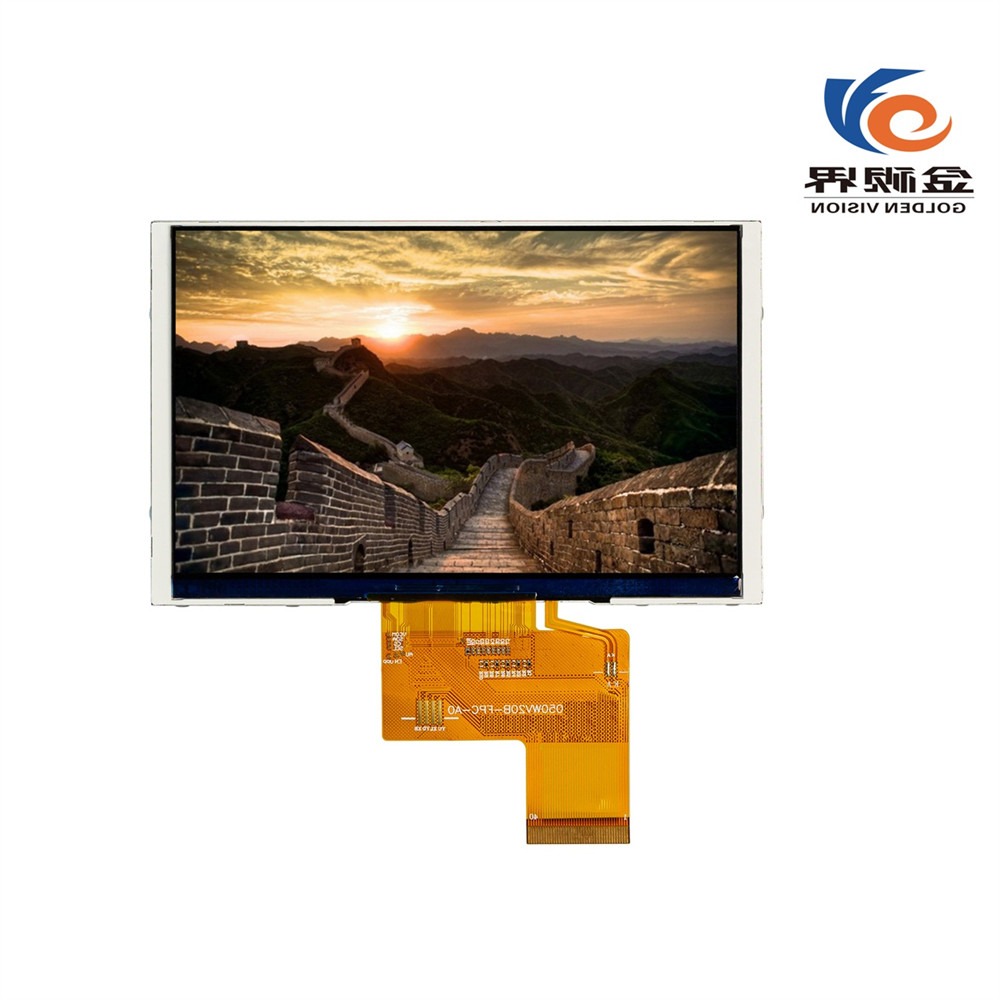
5.0 Inch 800*480 IPS TFT LCD Display Module LCD Screen

How TFT Technology Works

You encounter TFT LCD display modules in many modern devices. TFT stands for Thin-Film Transistor, a technology that gives you precise control over each pixel on the screen. In a TFT LCD, every subpixel connects to its own transistor. This setup allows you to enjoy sharp images and responsive touch interactions. Manufacturers design these modules in compact sizes, making them suitable for everything from smartwatches to industrial control panels.

The defining characteristics of TFT LCD display modules set them apart from other display types. You can review the table below to understand what makes them unique:

Characteristic

Description

Pixel-level control

Each subpixel is driven by its own transistor, enabling sharp and responsive image rendering.

Compact form factors

Available in a wide range of sizes and resolutions, suitable for various applications.

Fast response times

Ideal for real-time monitoring and user interaction with minimal lag.

Power efficiency

Especially when combined with LED backlighting and optimized drivers.

Long-term availability

Essential for embedded and industrial systems requiring consistent sourcing and extended lifecycles.

You benefit from tft lcd technology because it delivers high image clarity and fast response times. You see vibrant colors and crisp text, even when viewing the screen from an angle. The energy efficiency of these modules helps extend battery life in portable devices. Their solid-state construction ensures durability and reliability.

Tip: When you select a TFT LCD module, you gain access to advanced features like wide viewing angles and minimal motion blur. These advantages make them ideal for interactive displays and real-time applications.


Main Uses in Electronics Projects

You find TFT LCD display modules in a variety of electronics projects. Their versatility and performance make them a top choice for consumer devices and embedded systems. Common applications include:

  • Smartphones

  • Tablets

  • Laptops

You also see these modules in industrial equipment, medical devices, and automotive dashboards. Their compact and lightweight design allows you to integrate them into wearable technology and portable measurement tools. You can rely on TFT LCD modules for projects that demand clear visuals, responsive touch, and long-term reliability.


Top Brands and High-Performance TFT LCD Display Modules

When you select a display module for your project, you want to know which brands lead the market and what sets them apart. The global market features several major players, including LG Display, Sharp Corporation, Japan Display Inc, Citron, Tianma Microelectronics, BOE Technology Group, Samsung Display, and Innolux Corporation. For 2025, you see a strong focus on 4K resolution, high refresh rates, and advanced customization.

AUO and Innolux Overview

You find AUO and Innolux at the forefront of high-quality tft lcd displays. These brands deliver advanced features that support demanding applications in gaming, medical, and industrial sectors. AUO stands out with impressive brightness, fast response times, and wide color gamuts. Innolux excels in sunlight-readable panels and medical-grade color accuracy. The table below highlights their unique strengths:

Feature

AUO

Innolux

Brightness

600 nits (32-inch 4K Mini-LED panel)

1500 nits (15.6-inch sunlight-readable)

Color Accuracy

98% DCI-P3 color gamut (27-inch 2K)

DICOM Part14 standard (21.3-inch)

Response Time

1ms (27-inch 2K 240Hz)

N/A

Application

Gaming, pro monitors

Medical, industrial control

Lifespan

50,000 hours (public display)

N/A

You benefit from these features when you need reliable performance, vibrant visuals, and long-term durability.


Golden Vision Overview

Golden Vision offers you flexibility and robust design for industrial and medical projects. You can choose from capacitive or resistive touch panels, adjust backlight brightness, and rely on strengthened cover glass. Golden Vision modules focus on durability and longevity, making them ideal for harsh environments and specialized applications. The table below summarizes their strengths:

Feature

Description

Advanced Technology

Strengthened cover glass, flexible printed circuits

Customization Options

Capacitive/resistive touch, adjustable backlight

Focus on Durability

Designed for reliability in industrial and medical settings

You gain an advantage with Golden Vision if you require custom solutions and competitive pricing for emerging sectors like 3D printing and EV charging.


ST7789 for Embedded Systems

If you work on simple or cost-sensitive embedded projects, the ST7789 module remains a top choice. You enjoy native support for square aspect ratios, fast refresh rates, and IPS panels for better color and viewing angles. Open-source library support makes integration quick and easy. Here are the main benefits:

  • High resolution with modern aspect ratios (e.g., 240x240)

  • Smooth animations and responsiveness

  • Superior color reproduction with IPS panels

  • Extensive open-source library support

Tip: Choose ST7789 modules when you need reliable, easy-to-integrate displays for microcontroller-based systems.


Summary Table: Key Specs and Application Recommendations

Brand/Module

Best For

Key Strengths

AUO

Gaming, pro monitors

High brightness, fast response

Innolux

Medical, industrial control

Sunlight readability, color accuracy

Golden Vision

Industrial, medical, custom use

Durability, customization

ST7789

Embedded, DIY, cost-sensitive

Easy integration, IPS, open-source

You can match these options to your project’s needs and ensure you select the right display for high performance and reliability.


Choosing the Right TFT LCD Display Module for Your Project

Selecting the right tft lcd display module for your project requires you to match technical specifications with your application’s needs. You must consider size, interface, power, compatibility, and touchscreen features. Each factor impacts the performance, user experience, and long-term durability of your setup. Below, you will find practical guidance for making the best choice for mobile, automotive, industrial, gaming, medical, and iot and embedded projects.

Size and Resolution (Including 4.3 Inch TFT LCD Touch Screens)

You should start by evaluating the size and resolution of your tft display. The 4.3 inch tft lcd touch screens have become a popular choice for many applications due to their balance of compactness and usability. When you select a display, consider the following:

  • Assess the available space in your device. The 4.3 inch tft lcd touch screens fit well in handheld devices, automotive dashboards, and industrial panels.

  • Higher resolutions provide more usable space for user interfaces. If your project displays complex data or graphics, a higher resolution tft lcd touchscreen display will enhance clarity.

  • For battery-powered devices, choose a module with lower power consumption. The 4.3 inch tft lcd touch screens often offer efficient operation, making them ideal for portable setups.

  • Environmental factors matter. High temperatures can cause pixel failure and visual artifacts, while low temperatures may lead to sluggish response times or ghosting. Humidity can introduce condensation, damaging the lcd module, especially in outdoor or industrial environments.

  • Cost and usability must align with your project’s budget and user expectations.

Tip: The 4.3 inch tft lcd touch screens deliver an excellent balance of display quality, power efficiency, and versatile integration for many iot and embedded projects.


Interface Types (RGB, MIPI, LVDS)

The interface type determines how your tft lcd touchscreen communicates with your controller or esp32 board. You will encounter several common interfaces:

Interface Type

Impact on Performance

Power Consumption

Complexity

RGB

High bandwidth

Higher

Moderate

MIPI

Optimized for mobile

Lower

High

LVDS

Moderate bandwidth

Moderate

Low

  • The interface you choose affects performance, power consumption, and design complexity.

  • MIPI DSI interfaces are optimized for mobile devices and offer lower power consumption, making them suitable for battery-operated projects.

  • RGB interfaces provide high bandwidth but may increase power draw and require more complex wiring the tft lcd.

  • LVDS offers a good compromise for industrial and automotive applications, balancing bandwidth and simplicity.

  • Always consider your application’s requirements, available space, cost, and future scalability when selecting an interface.


Power and Efficiency

Power consumption plays a critical role in portable and battery-powered devices. You must review the specifications for each tft lcd display module to ensure efficient operation. For example:

Display Module

Power Consumption

Operating Voltage

RGB 65K Color EK9716

500 mA

5V

2.4-inch TFT Colour Display

10 mA (3.3V)

3.3V

  • The 4.3 inch tft lcd touch screens typically operate at low voltages and offer efficient power usage, which extends battery life in portable setups.

  • Consider the impact of backlighting on total power draw. Modules without backlight consume less power but may not provide sufficient brightness for all environments.

  • For automotive or industrial projects, ensure the power supply can handle the display’s peak current requirements.


Compatibility With ESP32 and Other Boards

You need to ensure your tft lcd touchscreen display works seamlessly with your esp32 board or other microcontrollers. Compatibility affects both hardware connections and software support. Here are some examples:

Feature

Details

Brand

ESP32-8048S070N

Screen Size

7 inches

Color

RGB 65K

Operating Voltage

5V

Compatibility

Compatible with Arduino and other microcontrollers

Technical Support

24/7 support, online resources, customization services


Feature

Details

Brand

GUITION

Model

JC8048W550C_I

Display Size

5.0 inches

Resolution

800*480

Main Control

ESP32-S3R8

Flash Size

16MB

Compatibility

Supports Arduino IDE, ESP IDE, Micropython

  • The 4.3 inch tft lcd touch screens often provide broad compatibility with esp32 board setups, making them a reliable choice for rapid prototyping and development.

  • Look for modules with strong technical support and comprehensive online resources. These features simplify integration and troubleshooting.

  • Always check datasheets for pinout, voltage, and communication protocol details before wiring the tft lcd to your esp32.


Touchscreen Features (TFT LCD Touchscreen Display)

Touchscreen technology transforms user interaction with your tft lcd touchscreen display. You will find two main types: capacitive and resistive.

  • Capacitive touchscreens dominate modern smartphones and tablets. They offer a smooth, responsive experience and support multi-touch gestures.

  • Manufacturers now produce thinner screens, improving user interaction and device aesthetics.

  • Resistive touchscreens remain popular in industrial, automotive, and medical applications. They work with both touch and stylus, provide durability and reliability, and resist water and dust.

  • The 4.3 inch tft lcd touch screens are available in both capacitive and resistive variants, allowing you to match the technology to your project’s environment and user needs.

  • You will see tft lcd touchscreen displays in handheld gaming devices, e-readers, GPS navigators, automotive infotainment systems, and educational tools.

Note: Always review the datasheet for your chosen tft lcd touchscreen to confirm supported touch features, controller compatibility, and environmental ratings.


When you select a tft lcd display module, always consult the datasheet and available support resources. These documents provide critical information about wiring the tft lcd, operating conditions, and integration with your esp32 board. By carefully matching size, interface, power, compatibility, and touchscreen features to your project, you ensure optimal display quality, durability, and reliability for any application.


Application Examples for TFT LCD Display Modules
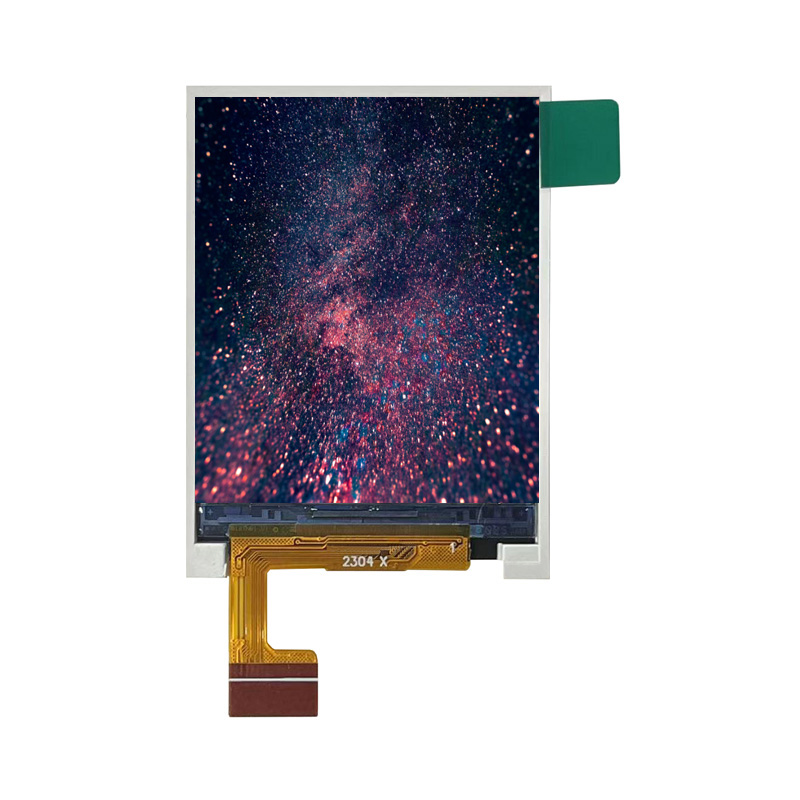
1.77 Inch 128*160 TFT LCD Display Module LCD Screen

Mobile and Wearable Projects

You can use a tft lcd display module in mobile and wearable applications for vibrant visuals and responsive touch. The 4.3 inch tft lcd touch screens fit smartwatches, fitness trackers, and handheld medical devices. You benefit from low power consumption and high brightness, which improve outdoor readability. Many developers choose arduino and esp32 for rapid prototyping. The 2.8 inch ili9341 also works well in compact wearables. You can add a tft lcd touchscreen display to your setup for interactive menus and notifications. Touchscreen features let you swipe, tap, and scroll with ease.


Automotive and Industrial Projects

You see tft lcd display modules in advanced automotive and industrial applications. The 4.3 inch tft lcd touch screens provide clear, customizable interfaces for dashboards and control panels. You can review the table below to understand how tft lcd modules enhance these systems:

Application Area

Functionality Description

Automotive Digital Instrument Clusters

Replaces analog gauges with customizable, dynamic interfaces.

Infotainment Systems

Integrates navigation, media, climate control, and smartphone connectivity.

Heads-Up Displays (HUDs)

Projects critical information onto the windshield, enhancing safety.

Advanced Driver-Assistance Systems (ADAS)

Provides real-time visual feedback to assist drivers.

Industrial Automation Systems

Used in PLCs and SCADA interfaces for real-time process monitoring.

Medical Devices

Essential for ultrasound machines and patient monitors requiring long-term stability.

Agricultural and Construction Machinery

Integrated for operator control and diagnostics in rugged environments.

Durability Features

Includes optical bonding, anti-reflective coatings, and wide operating temperature ranges (-30°C to +85°C).

You can rely on arduino and tft lcd touchscreen modules for robust performance in harsh environments.


Gaming, DIY Consoles, and Measurement Devices

You can build gaming consoles, DIY projects, and measurement tools with tft lcd modules. The 2.8 inch ili9341 and 4.3 inch tft lcd touch screens support arduino and esp32, making integration simple. You gain these advantages:

  • High resolution for sharp graphics and detailed images.

  • Fast response time for smooth gameplay and real-time data.

  • Energy efficiency for portable devices.

  • Versatility for many applications, from arduino-based consoles to industrial meters.

  • Long lifespan and touchscreen capability for interactive experiences.

You can use a tft lcd touchscreen for custom controls and data input.


Budget-Friendly Project Options

You can choose the 2.8 inch ili9341 or 4.3 inch tft lcd touch screens for cost-effective arduino projects. These modules offer reliable lcd performance and easy touchscreen integration. You can create smart home panels, educational kits, or simple measurement devices. The tft display and lcd touchscreen features help you deliver professional results without exceeding your budget.


Practical Tips for TFT LCD Display Module Selection

Reading Datasheets and Specs

You need to review datasheets and technical specs before you choose a tft lcd display module for your project. Datasheets give you essential details about the tft lcd touchscreen display, such as voltage, pinout, and recommended operating conditions. You should always check if the 4.3 inch tft lcd touch screens meet your requirements for brightness, contrast, and temperature range. Many developers overlook the importance of environmental factors. If you ignore sunlight readability or temperature limits, your tft lcd touchscreen may fail in real-world use.

You must also verify EMC and EMI data. Insufficient information can lead to interference issues in your setup. Always select industrial-grade touch controllers for demanding environments. Consumer-grade options may not withstand harsh conditions. Poor documentation can delay your arduino project, especially if you rely on an arduino ide library for integration. You should look for modules with clear wiring diagrams and sample code for arduino. Reliable datasheets help you connect your tft lcd touchscreen to your esp32 or arduino board without confusion.

Tip: Use the arduino ide library examples to test your tft lcd touchscreen display before finalizing your design. This step helps you catch compatibility issues early.


Evaluating Support and Cost

You want strong technical support and cost-effective solutions for your tft lcd touchscreen setup. Choose suppliers who offer responsive help, detailed arduino ide library documentation, and active community forums. If you use 4.3 inch tft lcd touch screens, you will find many arduino ide library resources and troubleshooting guides. These resources save you time during development.

You should compare prices, but do not sacrifice quality for cost. Industrial projects need reliable tft lcd touchscreen displays with robust touch and lcd performance. Look for suppliers who provide long-term availability and updates for their arduino ide library. If you plan to use your tft lcd touchscreen display with arduino or esp32, make sure the arduino ide library supports your hardware. You can avoid delays by choosing modules with strong documentation and active arduino ide library support.

Note: The best tft display for your project balances price, support, and ease of integration with your arduino ide library.


You need to select the right tft lcd touchscreen for your project by matching features to your requirements. Review the table below to compare the main factors:

Factor

Description

Display size and resolution

Fit your mechanical design and match your visual interface.

Viewing angle technology

IPS improves visibility in multi-angle environments.

Brightness and contrast

Essential for outdoor or industrial readability.

Touch interface

Choose PCAP or resistive touchscreen based on glove use, precision, or exposure.

Operating temperature range

Ensure stability and safety in harsh conditions.

Longevity and availability

Critical for embedded systems needing long-term support.

You should follow these steps to finalize your tft lcd touchscreen selection:

  1. Match each tft lcd touchscreen specification to your project needs, including resolution and environmental factors.

  2. Test and validate tft lcd touchscreen modules by requesting samples and checking performance in your environment.

  3. Review arduino ide library documentation and supplier support to confirm you have the resources for integration.

You gain confidence by consulting peers and making a shortlist of tft lcd touchscreen options. Always check datasheets, compatibility with arduino, and arduino ide library support. The best tft lcd touchscreen display balances touch performance, arduino integration, and reliable arduino ide library resources.


FAQ

What is the best way to connect a TFT LCD display module to an arduino?

You can connect a TFT LCD display module to an arduino using a compatible shield or breakout board. Always check the datasheet and wiring diagram. Use a recommended library to simplify the process and ensure stable communication between your arduino and the display.

Which library should you use for TFT LCD modules?

You should select a library that matches your display controller. For example, the Adafruit GFX library supports many modules. Always review the documentation to confirm compatibility. A reliable library will provide sample code and make integration with your arduino much easier.

How do you troubleshoot display issues with a new library?

Start by checking your wiring and power supply. Make sure you installed the correct library version. Review the library’s documentation for common issues. Test with example sketches from the library. If problems persist, seek help from the library’s support forum or community.

Can you use multiple libraries for advanced display features?

Yes, you can combine more than one library to unlock advanced features. For example, use a graphics library with a touchscreen library for interactive projects. Always verify that the libraries work together and do not cause conflicts on your arduino.

Where can you find reliable library resources for arduino display projects?

You can find trusted library resources on GitHub, the official arduino website, and manufacturer support pages. Look for libraries with active maintenance, clear documentation, and community support. These resources help you build stable and feature-rich display projects.

Lighting in the hotel industry is more than illumination - it is a strategic tool that influences guest satisfaction, brand identity, safety, functionality, and operational efficiency. From lobby to guest room, proper lighting transforms a simple stay into a memorable experience.


Here is a breakdown of why lighting is so vital in hospitality:


1. Enhance Functionality and Guest Comfort


A hotel must cater to a variety of activities, and lighting makes this possible.


* Ambient Lighting: Table lamps, floor lamps, and ceiling lights provide general ambient lighting which is essential for the overall environment.


* Task Lighting: Focused light from desk lamps, adjustable reading lights, and illuminated vanity mirrors ensures guests can read, work, or apply makeup comfortably.


* Decorative Lighting: A statement chandelier or warm cove lighting in lobby immediately conveys luxury, comfort, and attention to detail. In conference rooms and ballrooms, adjustable lighting supports multiple event settings.


* Wayfinding and Safety: Corridor lights, stairwell sconces, and signage ensure guests can find the room safely and confidently at any hour reducing anxiety.


* Exterior and Parking Lighting: Well-lit exteriors deter security threats and help guests safely navigate parking lots and entrances at night.


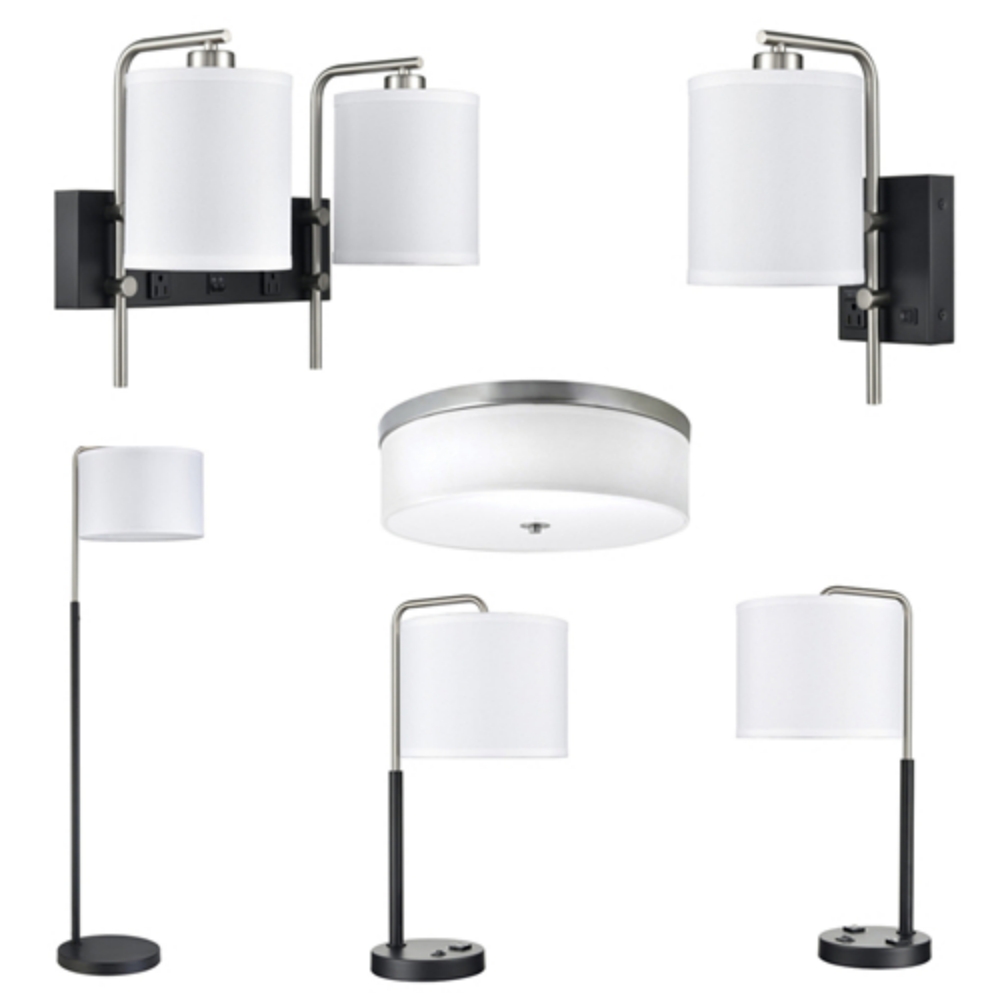
Hotel Project Lamps With Power Outlets


2. Create Ambiance and Emotional Connection


Lighting sets the mood and defines the character of a space, it's the invisible hand that guides guests' emotional journey from the moment they walk through the door.


* Mood Setting: Warm, soft lighting can make a boutique hotel feel intimate and relaxing, while bright, dynamic lighting can make a modern lifestyle hotel feel energetic and vibrant. Thoughtful lighting design improves comfort, which directly influences guest satisfaction, reviews, and repeat bookings.


* Zoning and Atmosphere: In restaurants and lounges, layered lighting creates intimacy and encourages relaxation. In guest rooms, the dimmable function allows guests to personalize their environment and feel at home.


* Brand Identity: Lighting schemes can subtly communicate a hotel's brand identity, the consistent design across guestrooms and public spaces reinforces brand recognition and strengthens the hotel's market positioning, ensuring the space aligns with the guest's expectations.


3. Elevate Design and Architecture


Hotels invest heavily in interior design, art, and architectural details. Lighting is the secret that brings these investments to life.


* Focal points: Strategic spotlighting can turn a beautiful lobby sculpture or a textured feature wall into a memorable visual highlight.


* Perceived Space: Well-placed, layered lighting can make small rooms feel larger and more open, while cove lighting can add depth and interest to high ceilings.


* Aesthetic Cohesion: Consistent and complementary lights tie the design elements together, creating a polished, curated look that guests associate with quality.


Hotel Indoor Decorative Lamps


4. Drive Operational Efficiency and Sustainability


Lighting is a major operational expense for hotels.


* Energy Savings: To choose energy-efficient LED lighting can reduce a hotel's energy consumption by up to 70-80%, this translates to significant, long-term cost savings across hundreds of rooms and public areas.


* Maintenance Costs: Long-lasting lights and bulbs can reduce the frequency of bulb replacements and the associated labor costs.


Why Partner with Sunwin for Your Hotel Lighting?


As a major hotel project lamps supplier in China, Sunwin understands the importance of lighting in improving guest's experience and your property's success. Here we offer:


* Custom Made Lights: Lights tailored produced to your brand's unique aesthetic and functional needs.


* Hotel-Grade Durability: Products engineered to withstand the rigors of high-traffic environments.


* 100% Support: From prototyping to global delivery and after-sales service.


Illuminate your hotel's potential with Sunwin, let's create spaces that guests remember and return to. Contact Us Today sales@sunwinhotellighting.com to discuss your next project!

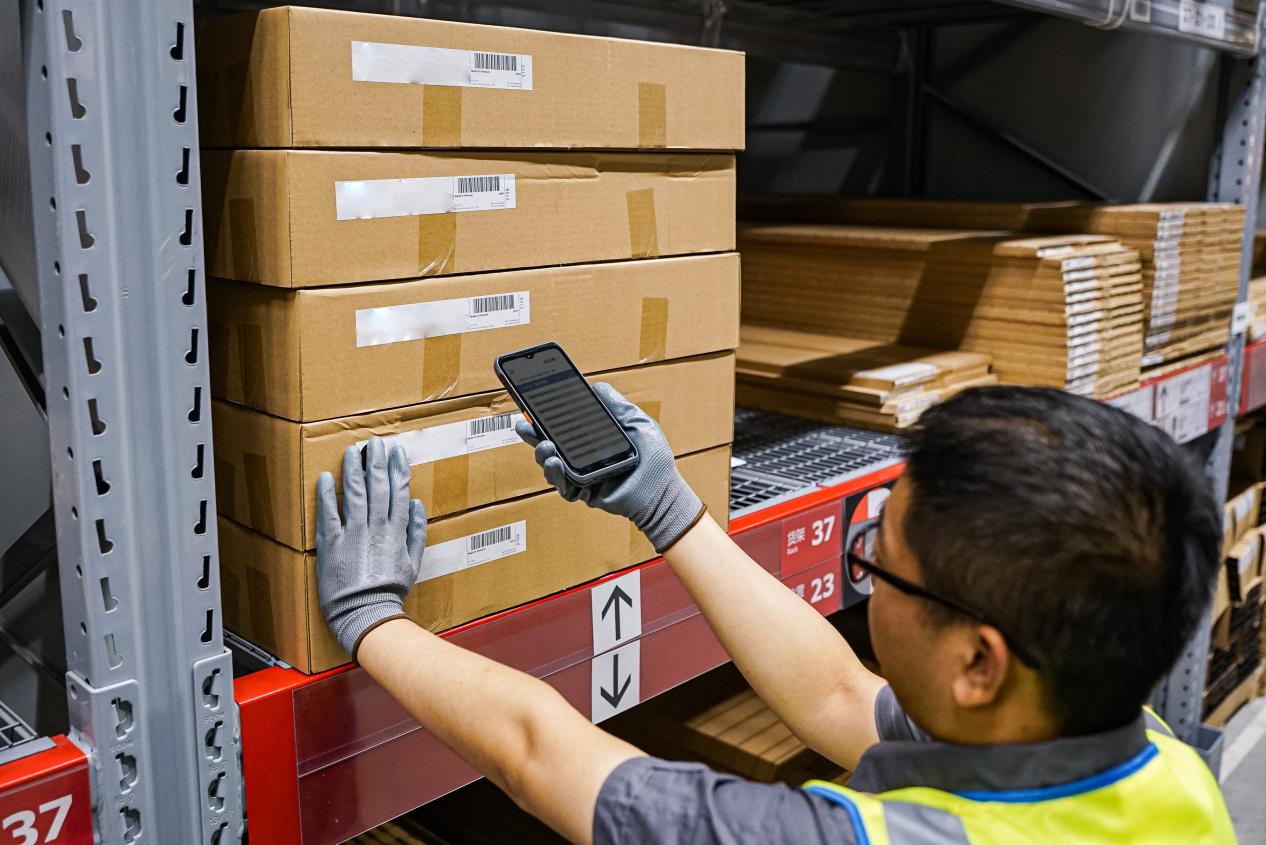
Step into any modern warehousing center, and you'll see a common sight-staff moving swiftly between shelves with portable devices in hand, completing various tasks accompanied by crisp beeping sounds. These devices are mobile computers, industrial PDAs, handheld terminals, and rugged scanners—all collectively transforming traditional warehouse management.

Pain Points of Traditional Warehouse Management
Before mobile scanning technology became widespread, warehouse operations relied heavily on paper documents and manual records:

1.Manual picking error rates as high as 3–5%
2.Delayed inventory data updates, often leading to "system shows stock, but physical stock is unavailable"
3.Inefficient order processing, with frequent errors during peak periods
4.Difficulty in tracing issues, making it hard to pinpoint responsibility when problems arose


The Transformative Power of Mobile Scanning Devices
Real-Time Data Synchronization
Every time a barcode or QR code is captured by a data collection device, information is instantly uploaded to the central management system. This means:

1.Inventory quantities are updated in real time
2.Data consistency across multiple warehouses
3.Management can access accurate inventory status at any time


Precise Operation Guidance
Warehouse mobility solutions enable:

1.Planning optimal picking routes for warehouse staff
2.Confirming items through visual and auditory prompts
3.Automatically verifying order accuracy to prevent picking errors or omissions

Process Automation

1.Automatically assigning storage locations during inbound operations
2.Automatically deducting inventory during outbound operations
3.Significantly reducing manual counting time during stocktakes


Implementation Results: Let the Numbers Speak
Enterprises adopting handheld computers and mobile data terminals typically observe:

1.Picking accuracy rates improve to over 99.9%
2.Overall operational efficiency increases by 30–50%
3.Inventory discrepancies decrease by 70–90%
4.Training time for new employees shortens by 60%

Key Elements for Successful Implementation

1.System Integration: Ensure seamless connection between the mobile computing system and existing WMS/ERP systems
2.Device Selection: Choose appropriate scanning range, protection rating, and battery life based on the operational environment—options include ruggedized handhelds, wearable scanners, gun-style imagers, and ring scanners
3.Process Reengineering: Redesign workflows to fully leverage technological advantages
4.Personnel Training: Help employees understand the "why," not just the "how"


Regional Terminology Variations
Different regions use various terms for these technologies:

1.North America: Primarily "mobile computers" or "rugged PDAs"
2.Europe: Often "handheld terminals" or "data collectors"
3.Asia-Pacific: Commonly "PDA scanners" or "industrial mobile computers"
4.Logistics Industry: Frequently "warehouse scanners" or "inventory guns"

Technology Spectrum: From Basic to Advanced
Modern solutions encompass:

1.Basic: Barcode readers, laser scanners
2.Intermediate: 2D imagers, RFID readers, mobile computers
3.Advanced: Vision-powered devices, wearable computers, voice-directed systems

Future Outlook: From Automation to Intelligence
As technology advances, mobile data capture devices are evolving toward greater intelligence:

1.Integration with AI visual recognition to accurately identify items even when barcodes are damaged
2.Incorporation of IoT sensors to monitor cargo status and environmental conditions
3.Collaboration with AGVs, drones, and other automated equipment to build fully intelligent warehouses
4.Development of hands-free solutions like smart glasses and voice-assisted picking


Conclusion
In the era of e-commerce and instant delivery, the precision of warehouse operations directly impacts customer experience and business costs. Mobile inventory management tools-whether called handheld scanners, portable data terminals, or warehouse PDAs—are no longer a "high-tech option" but a "basic requirement" for modern warehouse management. For enterprises still grappling with inventory errors, investing in auto-identification and data capture technologies may be the most direct path to achieving operational breakthroughs.

Precision begins with every scan, and efficiency comes from every optimization. Is your warehouse ready to embrace this accuracy revolution with the right mobile computing solution?


--------------------


In the fiercely competitive retail landscape, "out-of-stocks" and "overstocks" are two of the deadliest enemies. Customers who cannot find the product they want will immediately turn to competitors, while slow-moving inventory relentlessly erodes profits. How can businesses precisely control inventory dynamics to achieve the perfect balance between supply and demand? The answer lies in the small device held by store associates—the mobile computer.

Today, we will delve into how this seemingly ordinary tool is revolutionizing retail operations through real-time inventory control, and share a real-world transformation case from a well-known domestic fast-fashion brand.

What is a Handheld Terminal?


A handheld terminal, also known as a mobile data collector or industrial PDA, is an intelligent handheld device integrating a barcode scanning engine, an operating system (e.g., Android), wireless connectivity, and business software. It transcends the limitations of traditional scan guns, which "can only scan, not think," serving as a mobile, computing-capable, real-time interactive "smart terminal."


Four Core Application Scenarios for Real-Time Inventory Management with a Practical Case


Handheld terminals transform inventory management from static "post-facto recording" to dynamic "real-time control." Let's examine its power in action through a specific case study.
Case Background: A leading domestic fast-fashion brand, with hundreds of stores nationwide. Previously, its inventory accuracy rate remained persistently low, relying on inefficient weekly store-closing counts. High error rates in fulfilling online orders severely impacted the omnichannel customer experience.
Transformation Initiative: The brand deployed industrial-grade rugged handheld computers integrated with a customized Warehouse Management System (WMS) to all frontline store staff and digitally redesigned core inventory processes.


1. Goods Receiving and Put-away: Accurate Inbound, One-Step Completion

Traditional Pain Points: Manual data entry was inefficient and error-prone. Arbitrary put-away locations led to frequent situations where "the system shows stock, but the floor staff can't find it."
Handheld Solution: Upon delivery, staff scan the logistics case code with the data capture device, automatically pulling up the electronic Advance Shipping Notice (ASN). Scanning item barcodes inside the case triggers immediate alerts for quantity or SKU mismatches. After receipt confirmation, the device screen recommends the optimal put-away location (e.g., 'Women's Section - Row 3 - Middle Shelf') based on built-in algorithms.
Practical Case: At the brand's flagship store in Beijing, intern Alex Chen is processing a shipment of new dresses. After scanning with the mobile computer, the device clearly instructs: "Please put 'Floral Wrap Dress - Size S' on 'Dress Section - Rack A -Level 2'." He simply proceeds to the designated area, scans the location barcode on the shelf, and the system automatically binds the item to that location. The entire process requires no memorization or manual lookup, and the inventory for this batch is updated in real-time in the central database, with status changed to 'Available for Sale'.


2. Cycle Counting and Transfers: Simplifying Complexity, Ending "Blind Men Feeling an Elephant"

Traditional Pain Points: Reliance on manual tallying and end-of-month store-closing counts resulted in long cycles, poor accuracy, and business disruption during counts.
Handheld Solution: Implementation of regular cycle counting. The management system automatically generates daily zoned counting tasks (e.g., "Count all colors of men's shirts today"). Staff use downtime to scan items in the assigned area using their barcode scanners. Data uploads in real-time, with discrepancies triggering immediate alerts requiring on-the-spot confirmation.
Practical Case: The brand's district manager configured the system so that stores receive daily counting tasks automatically upon starting their mobile terminals. One Wednesday, associate Sarah Liu's task was to count 15 units of a popular collaboration T-shirt. While tidying the section, she completed the scan and found only 13 physical units. She immediately selected the reason for variance from a drop-down menu on the device (e.g., "Items in fitting room") and, after retrieving the 2 missing items, rescanned to confirm. The inventory count was corrected instantly. Simultaneously, based on the "sales-to-stock ratio," the system automatically prompted a replenishment from the backroom. Sarah directly created a transfer task on the handheld computer, completing the backroom pick and sales floor replenishment via scanning, ensuring optimal display stock for the bestseller.

3. Picking and Fulfillment: Empowering Omnichannel Sales

Traditional Pain Points: Picking for online orders relied on paper lists, leading to chaotic routes, low efficiency, and frequent mis-picks of color or size.
Handheld Solution: E-commerce orders are automatically dispatched to handheld devices. The picker views the task list on the device, and the system plans the most efficient pick path based on location data. For each item picked, both the item barcode and the shelf location barcode must be scanned for dual verification.
Practical Case: A customer orders a gray hoodie (Size L) and blue jeans (Size 32) via the brand's mini-program. The order is pushed in real-time to associate Joe Zhou's mobile data terminal. The device first guides him to the Casual Section - Hoodie Rack - Size L location. Scanning both the product and shelf barcodes triggers a green light for confirmation. It then directs him to the Denim Section - Size 32 area for the same procedure. Upon successful dual verification for both items, the system updates their inventory status from 'Available' to 'Reserved' in real-time, completely preventing overselling. The entire picking process takes under 3 minutes with zero errors.


4. Sales Floor Support and Customer Service: Enhancing Experience, Driving Sales

Practical Case: A customer likes a trench coat, but the display is Size M, and she needs Size S. The associate scans the display item's barcode with the handheld scanner. The screen instantly shows: "Store Stock: Size S - 1 unit in backroom; Nearby XX Mall Store: Size S - In stock (transfer available)." The associate can immediately fetch the item from the backroom or initiate a cross-store transfer request with one click on the device. This professional service powered by real-time data significantly boosts customer trust and sales conversion.

Revolutionary Value Delivered and Case Results


Through the comprehensive deployment of the mobile computing system, the brand achieved a leap in operational KPIs within one year:

Inventory accuracy increased from below 80% to a stable over 99%.
Omnichannel order processing efficiency improved by 50%, with mis-pick rates falling to near zero.
Inefficient store-closing counts were eliminated entirely, adding considerable effective operating hours annually.
Customer complaints regarding "out-of-stocks" and "wrong items shipped" decreased by over 60%.

Conclusion


As demonstrated by this case, the mobile computer/handheld terminal has evolved from a simple data capture tool into a core terminal for digital transformation in fast-fashion retail. It achieves real-time synchronization of product flow and information flow, making inventory visible, controllable, and optimizable.

For retail enterprises committed to enhancing operational resilience, integrating omnichannel operations, and deepening customer experience, deploying such a real-time inventory management system with handheld devices as its touchpoints is no longer merely a technological upgrade but a strategic cornerstone for building future competitiveness. When every inventory movement is transformed into precise data, intelligent decision-making and efficiency gains have an inexhaustible fuel source.


We are FYJ Family, a provider of integrated hardware and software solutions for PDAs.Tell us about the product you are interested in or industry problem needed to solved, our team will reply to you within 2 hours with tailored resources like industry white papers, price quotes, or free trial access.    


-------------------------------------


In modern business operations, whether in warehousing and logistics, retail stores, or field services, mobile data collection devices have become essential tools for improving efficiency and reducing errors. However, with numerous models and varying features available in the market, how do you choose the rugged handheld computer that truly meets your business needs? This article outlines key considerations to help you make an informed decision.

1. Define Your Core Business Scenarios

The first step in selecting a device is to return to the fundamentals of your business:

Environmental Requirements: Will it be used primarily indoors in warehouses, outdoors in the field, or in retail aisles? This determines the industrial PDA or commercial handheld's required protection rating and drop resistance.
Scanning Targets: Will you mainly scan 1D barcodes, QR codes, or require long-range scanning? This relates to the type of scanning engine needed for your barcode scanner PDA.
Usage Intensity: Is it for high-frequency use daily or intermittent operation? This impacts the rugged mobile computer's battery life and durability.


2. Key Features and Technical Parameters Explained

When evaluating technical specifications for your enterprise mobility solution, focus on these core aspects:

Operating System:
Android: Highly flexible, rich app ecosystem, easy to customize and integrate, currently the mainstream choice for Android handheld terminals.
Windows: May still be required for compatibility with certain traditional enterprise applications.


Scanning Performance:
Laser Scanners: Fast and accurate for traditional 1D barcodes but unable to read QR codes on some industrial handheld computers.
Imager Scanners: Capable of reading 1D/2D barcodes and capturing images, offering more comprehensive functionality for a mobile inventory scanner.

Hardware and Durability:
Industrial Grade: Suitable for harsh environments, typically featuring higher IP protection ratings and drop resistance. These rugged PDAs are built to last.
Commercial Grade: Suitable for retail, light warehousing, balancing cost and performance in a handheld data terminal.

Connectivity and Integration:
Wireless Connectivity: Ensure support for Wi-Fi, Bluetooth, and consider whether cellular connectivity is needed for your wireless barcode scanner in field operations.
Data Integration: The handheld computer should seamlessly integrate with your existing WMS, ERP, or POS systems.

Battery Life and Ergonomics:
The battery should last an entire shift; replaceable batteries are ideal for "uninterrupted operations" on any mobile worker device.
Weight and screen visibility directly impact employee comfort and efficiency during prolonged use of the portable scanner.


3. Critical "Soft" Factors to Consider


Software and Development Support: Does the vendor provide an easy-to-use SDK? This affects the ease of future customization for your mobile asset management tool.
Total Cost of Ownership (TCO): Beyond the purchase price of the handheld scanner, consider ongoing costs such as software licenses, maintenance, and accessories.
Vendor and Services: Choose a reputable vendor that offers local technical support and reliable warranty policies for your entergrade handheld.

4. Recommendations for Typical Scenarios


High-Intensity Warehousing and Logistics: Prioritize rugged mobile computers with high-performance imaging scan engines and large-capacity replaceable batteries.
Retail and Store Inventory: Opt for lightweight handheld devices with an emphasis on screen display quality and scanning speed.
Field Services and Delivery: Balance ruggedness and portability in a field mobility device. Cellular connectivity and GPS functionality are crucial.

Conclusion
Choosing a mobile computer PDA scanner is essentially about achieving a precise match between business needs, technical performance, user experience, and total cost. Before finalizing your decision, it is advisable to request sample handheld units for on-site testing. Investing in the right data capture device can not only immediately enhance operational efficiency but also lay a solid hardware foundation for your company's future digital transformation.

A wise choice begins with a deep understanding of your business and is achieved through careful consideration of technical details. We hope this guide helps you cut through the clutter and find a reliable mobile productivity tool.

We are FYJ Company, a provider of integrated hardware and software solutions for PDAs.Tell us about the product you are interested in, and our team will reply to you within 2 hours with tailored resources such as industry white papers, price quotes, or free trial access.  

As digital transformation accelerates, the precision and efficiency of inventory management have become critical to global enterprises' cash flow and customer satisfaction. When facing the need for enhanced inventory visibility, business leaders worldwide find themselves at a strategic crossroads: Should they outsource to a specialized third-party logistics (3PL) provider or invest significant capital in building an in-house RFID (Radio Frequency Identification) or AIDC (Automatic Identification and Data Capture) infrastructure?

This decision extends far beyond a simple technology choice-it is a foundational investment with lasting implications for operational agility and competitive advantage. Here, we break down the ROI considerations for both paths, tailored to the needs of modern global supply chains.

Path 1: Building In-House RFID/AIDC Infrastructure – High Control, High Initial Investment


Key Advantages:

Complete Control & Deep Integration: Systems are fully customized to internal workflows and can be seamlessly integrated with existing ERP, WMS, and other enterprise platforms.
Data Ownership and Security: All inventory and operational data remain entirely in-house, which is crucial for industries with strict compliance or confidentiality requirements.
Potential Long-Term Cost Efficiency: After the initial capital outlay, ongoing costs are primarily maintenance and upgrades, potentially lowering the per-scan cost over time.

ROI Challenges & Cost Considerations:

High Upfront Capital Expenditure (CapEx): Significant investment in RFID tags/readers, rugged handheld devices / mobile computers / industrial PDAs, vehicle-mounted computers / forklift terminals, wearable scanners / smart glasses, servers, networking, software licenses, and system development.
Hidden "Soft Costs": Substantial time and internal resources required for system design, integration, and testing; risk of business disruption during process redesign; employee training expenses for new handheld terminals / data collection terminals.
Ongoing Operational Burden: Requires a dedicated IT team for maintenance, troubleshooting, hardware refreshes (including all portable data terminals (PDTs) and mobile inventory scanners), and software updates—a continuous OpEx commitment.
Technology Obsolescence Risk: Rapid technological advancement may shorten the lifecycle of hardware, necessitating periodic reinvestment in new rugged mobile devices / industrial handhelds.

ROI Positive When: Business scale is large, operations are highly complex, and process control is a strategic priority. For companies with high daily SKU volumes, the efficiency gains from an in-house system—powered by a fleet of barcode scanners / mobile computers—such as 95%+ faster inventory counts, doubled receiving speeds, reduced labor, and lower shrinkage—can offset the initial investment within a 3–5 year period, leading to sustained benefits thereafter.

Path 2: Outsourcing Inventory Management – Asset-Light, Rapid Deployment


Key Advantages:

Minimal to No Initial Investment: Converts large CapEx into predictable operating expenses (OpEx), typically based on transaction volume or storage space. You avoid purchasing warehouse handheld computers / rugged tablets yourself.
Immediate Expertise & Speed: Leverages proven technology, established best practices, and specialized teams equipped with the latest AIDC devices / mobile data capture tools to improve inventory accuracy quickly—enabling faster time-to-market.
Risk Transfer & Scalability: Transfers technology selection, upgrade, and maintenance risks of all mobile hardware / scanning equipment to the partner. Costs flex with business volume, avoiding under- or over-capacity.
Focus on Core Business: Frees up management from worrying about handheld inventory computer specs or rugged device lifecycle management, allowing focus on innovation, marketing, and other differentiators.

ROI Challenges & Considerations:

Recurring Service Costs: Cumulative fees over the long term may exceed the total cost of an in-house system, especially as transaction volumes grow. This includes the cost of the partner's mobile workforce technology.
Reduced Operational Control: Day-to-day execution depends on the partner’s performance and their chosen mobile computing platforms / portable scanners, which may affect responsiveness and issue resolution timelines.
Data Security & Integration: Requires strong service-level agreements (SLAs) for data security and reliable, real-time integration from their data collection devices into your internal systems.
Customization Constraints: Process adjustments may require partner alignment and might not support highly unique workflows if their standard warehouse mobile computers / handhelds have limitations.


Decision Framework: Key Questions for Global Leaders

Consider the following before deciding:

Dimension Favor In-House Build Favor Outsourcing
Capital & Budget Strong balance sheet, able to fund long-term projects including rugged mobile hardware Prefer OPEX model, limited upfront capital for industrial mobile devices
Strategic Priority Supply chain control is a core competitive advantage Inventory management is a non-core, supportive function
IT Capabilities Robust in-house IT/engineering team for development and upkeep of mobile device infrastructure Lack specialized tech resources; prefer not to manage mobile computing infrastructure
Business Scale & Predictability High, stable volume with reliable forecasts Scaling rapidly or experiencing significant volatility
Implementation Timeline Longer planning and deployment cycle acceptable Need rapid deployment and quick ROI


Conclusion: Not One-Size-Fits-All—Choose What Aligns with Your Global Strategy


Building in-house is like running a marathon—it requires sustained investment in rugged handhelds, vehicle-mounts, and wearables but aims for maximum control, efficiency, and long-term cost optimization. It suits large enterprises where supply chain excellence is a key differentiator.

Outsourcing is akin to a relay race—it leverages specialized partners and their mobile data collection solutions for speed, flexibility, and risk mitigation. This approach is ideal for small to mid-sized businesses, global expansions into new markets, or companies prioritizing agility over ownership of scanning hardware.


Ultimately, the ROI calculation must go beyond spreadsheet projections. It should reflect your global strategy, cash flow profile, competitive differentiation, and risk appetite. Sometimes, paying a higher per-unit cost for unparalleled flexibility, speed-to-market, and focus on core business can deliver the greatest strategic return.

Recommendation: Start with a pilot—such as in one distribution center or for a single product line—to gather real-world data and validate ROI assumptions before rolling out globally. This applies whether you're testing specific mobile computers for warehouse use or evaluating an outsourced provider's entire mobile technology stack.


--------------------


In frontline operational settings such as warehousing and logistics, manufacturing workshops, outdoor inspections, or retail inventory counting, do you often see employees holding a device that looks “bulky” yet exceptionally durable? This is the rugged PDA or industrial PDA, also commonly known as a rugged handheld computer, rugged mobile computer, or handheld terminal. In specific contexts, you might hear terms like vehicle mount computer (for forklifts), rugged data collector, or simply a rugged handheld. They come with a hefty price tag—much higher than consumer-grade smartphones or tablets. A practical question faced by managers is: Is this seemingly high expenditure an unnecessary cost, or a strategic investment that can deliver long-term returns?

This article will delve into the core value of these rugged handheld devices and enterprise mobile computers to help you make an informed decision between “purchasing” and “making do.”

Part 1: More Than Just “Durable”: Understanding the True Essence of Rugged Handheld Devices

Many people simply perceive them as “smartphones with a protective case,” but that is far from accurate. A true industrial mobile device or ruggedized computer is a systematic engineering solution:
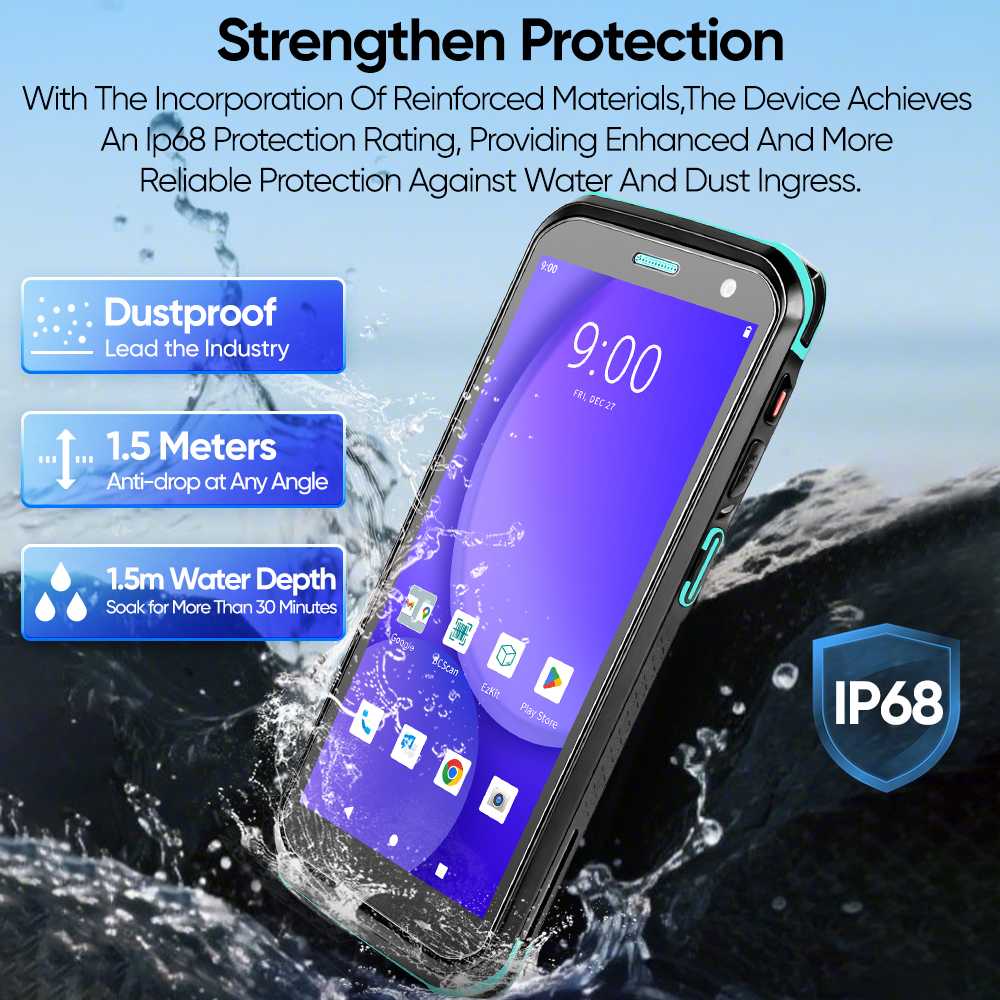
Comprehensive Durability: Not only do they meet MIL-STD-810G/H military standards, withstanding multiple drops from 1.5 meters or higher onto concrete surfaces, but they also boast an IP65/IP67 or higher ingress protection rating, completely sealing out dust and resisting powerful water jets or temporary immersion. This means these mobile data terminals (MDT) can operate reliably in harsh environments like rain, snow, dust, and grease.


rugged PDAs and mobile computers


Designed for Professional Scenarios:
Outstanding Scanning Performance: Equipped with high-performance laser or imaging scan engines, these devices often function as superior rugged barcode scanners or mobile computers with scanners, capable of quickly and accurately reading damaged, dirty, long-range, or on-screen barcodes/QR codes—a capability unmatched by standard smartphone cameras.
Exceptional Battery Life & Hot-Swappable Batteries: Supports prolonged, high-intensity operation, a key feature for any field service mobile computer or warehouse PDA, enabling “unlimited uptime” through battery swaps and preventing critical workflow interruptions.
Extreme Temperature Tolerance: Wide operating temperature range (e.g., -20°C to 50°C), suitable for cold storage or high-temperature workshops, making them ideal as cold chain handhelds or manufacturing PDAs.
Ergonomic Industrial Design: Touchscreens and physical buttons operable even with gloves, prominent scan/function keys, and adaptability to various working postures—essential for any handheld industrial computer.


Part 2: Calculating the “Three Accounts”: Return on Investment (ROI) Analysis

To determine whether the investment is worthwhile, it’s essential to analyze the following key accounts:

1. The Total Cost of Ownership (TCO) Account: Seemingly Expensive, Actually Cost-Saving
Higher initial purchase cost, but significantly lower failure rates. Consumer-grade devices might break down within months in industrial settings, whereas a purpose-built rugged enterprise handheld or industrial handheld computer is typically designed for a service life of 5 years or more. What you save are the substantial hidden costs associated with frequent repairs, replacements, data loss, and business disruption.
Lower management and maintenance costs. Unified professional platforms for these mobile computing devices and longer software/hardware support cycles reduce the complexity for IT departments.

2. The Productivity & Accuracy Account: Directly Creating Value
Speed Increase: Professional scan engines and optimized workflows on a rugged inventory scanner or delivery handheld reduce each scanning and processing cycle by seconds, translating into remarkable man-hour savings.
Error Rate Approaching Zero: Automated data capture using a data capture PDA eliminates manual entry mistakes, ensuring inventory accuracy and shipment correctness, directly reducing losses from returns and customer complaints.
Seamless Process Integration: Real-time data synchronization from these connected handhelds enables seamless coordination between warehousing, distribution, sales, and other links, enhancing overall operational efficiency.

3. The Risk & Reliability Account: Ensuring Business Continuity
Device Downtime Risk: A single device failure in a critical role can halt an entire production line or delay deliveries. The reliability of a rugged mobile device or mission-critical handheld acts as “insurance” for business continuity.
Data Security Risk: Professional-grade security features and controllable enterprise management platforms for these enterprise handhelds offer better protection for business data.
Employee Safety & Satisfaction: Easy-to-use, reliable handheld rugged computers reduce employee frustration caused by device issues and demonstrate the company’s care for frontline working conditions.


Part 3: The Crucial Question: Does Your Business Really Need It?

In the following scenarios, the answer is a clear “Yes”:


Harsh Environments: Outdoors, warehouses, factories, cold chain logistics, construction sites, etc.
High Intensity of Use: Handheld PDAs are used and handled frequently throughout the day, with potential for drops and impacts.
High Business Dependency: Core business processes (e.g., order picking, inventory counting, inspections) heavily rely on mobile computers for industrial use.
High Cost of Error: A single data or shipping mistake can lead to significant losses or customer churn.
Pursuit of Long-Term Operational Stability: Aim to avoid the management and training costs associated with frequent device turnover.


Conversely, if your devices are only used for occasional scanning or presentations within an office, a consumer-grade tablet or smartphone with a protective case might suffice.

Conclusion: A Strategic Tool, Not a Common Consumer Good

So, back to the initial question: Are rugged PDAs and mobile computers worth the investment?
For businesses that genuinely face industrial environment challenges, this is by no means a simple cost expenditure. It is a strategic investment that can significantly reduce hidden costs, enhance operational efficiency, safeguard core operations, and ultimately deliver substantial returns on investment.

Recommendation for Decision-Making:

When evaluating, do not merely compare the upfront price quotes of the devices themselves. Incorporate potential productivity losses, repair costs, business disruption risks, and error costs into your financial model. Partner with a reliable solution provider for field trials and a comprehensive ROI assessment. You will likely find that the long-term value of a rugged handheld terminal-one that fearlessly supports your employees on the front lines of business day after day, year after year—far outweighs its price tag.
Investing in reliable productivity tools like industrial handheld computers is an investment in the resilience and future of your business itself.


We are FYJ Company, a provider of integrated hardware and software solutions for PDAs.Tell us about the product you are interested in, our team will reply to you within 2 hours with tailored resources like industry white papers, price quotes, or free trial access.    


------------------------------------

Optimized for Global Readers | Also known as: Barcode Scanner, Mobile Computer, Handheld Terminal, Data Collector, Industrial Handheld

In the era of digital transformation, the way businesses capture data at the frontline is undergoing a profound shift. Logistics, manufacturing, and retail professionals frequently face a critical question: When it comes to scanning barcodes, is it better to invest in specialized rugged mobile computers costing several hundred dollars, or can we simply use the smartphones our employees already carry?

This question cuts to the heart of a fundamental trade-off between efficiency, cost, and operational control. This article provides a data-driven comparison to help you make the right choice for your specific business context.

1. The Core Difference: Consumer vs. Industrial Design
The fundamental distinction is simple: Smartphones are consumer-grade communication tools; industrial handheld terminals are productivity tools built for business. This core difference dictates everything from performance and durability to total cost of ownership.


Smartphone Scanning: Appealing but Limited
Using a smartphone with a scanning app seems like a zero-cost, low-friction option. Employees are familiar with the devices, and the software is readily available. However, when deployed in high-volume or demanding environments, significant flaws emerge:

A.Camera Limitations: Smartphones rely on cameras that require autofocus and adequate lighting. In dimly lit warehouses, on shiny or reflective surfaces, or with damaged barcodes, they struggle, leading to delays and user frustration.
B.Efficiency Gap: An enterprise-grade barcode scanner reads codes in milliseconds. A smartphone takes seconds. For a picker scanning thousands of items per shift, this difference translates into hours of lost productivity. Real-world data shows that rugged data collection devices can boost scans-per-minute by nearly 90% compared to consumer-grade alternatives.
C.Battery Life: High-intensity scanning drains smartphone batteries in hours, not shifts. Workers are often forced to carry power banks, creating a safety hazard and workflow disruption.
D.Fragility: A drop onto a concrete warehouse floor is a death sentence for most consumer phones. The cost of repair or replacement, plus downtime, quickly adds up.

The "Human Factor": A smartphone in hand is a distraction. Personal notifications, social media, and calls compete with work tasks, creating a management and security challenge.

Rugged Handheld Computers: Productivity by Design
A rugged handheld terminal is a purpose-built tool engineered for one thing: efficient and accurate data capture in demanding conditions. Its advantages are clear:

A.Superior Scanning Engine: These industrial PDAs use professional imaging engines that decode barcodes instantly, without needing to focus. They read damaged, dirty, or poorly printed codes and can capture long-range labels from the top of a high rack.
B.Purpose-Built Ruggedness: With IP65/67 ratings for dust and water resistance and the ability to survive multiple 4-6 foot drops onto concrete, these mobile computers are built for the real world.
C.All-Day Power: Hot-swappable batteries keep these field-ready devices running 24/7 across multiple shifts, with zero downtime for charging.
D.System Integration: Rugged data terminals run enterprise-grade Android or Windows and are designed to run your WMS, ERP, or field service apps seamlessly, acting as a mobile extension of your back-end systems.

The table below summarizes the key differences:


Feature Smartphone Scanning Rugged Handheld Scanner
Core Function Consumer communication Industrial data capture
Scan Technology Camera-based, slow, needs focus Laser/Imager-based, instant, reads damaged codes
Durability Low (screen cracks, water damage) High (MIL-STD, IP67, multiple drops)
Battery Life Limited, fades over time Full-shift, hot-swappable
Total Cost of Ownership High (frequent replacement, downtime) Low (long lifespan, minimal repairs)
Management Difficult (BYOD security risks) Centralized (MDM, EMM integration)


2. The Global Market Landscape and Trends
The choice between portable barcode scanners and smartphones is being shaped by larger forces in the global enterprise mobility market.

BYOD and the Rise of Enterprise Mobility
The global BYOD and enterprise mobility market is booming, projected to reach $272.3 billion by 2035, growing at a CAGR of 13.9%. Smartphones are the primary driver, expected to capture a 44.5% revenue share due to their ubiquity. This trend pushes many companies to consider phone-based solutions for lightweight tasks like basic inspections, surveys, or communication. However, this mass adoption also brings challenges in security, privacy, and compliance, with IT teams struggling to manage diverse devices and protect corporate data.

The Resilient Market for Mobile Data Collection
Simultaneously, the market for dedicated data capture hardware and software remains strong, projected to grow to $3.59 billion by 2032. This growth is fueled by the demand for real-time data, regulatory compliance, and operational efficiency in sectors like logistics, manufacturing, and healthcare. Key trends include:

AI Integration: AI and machine learning are being embedded into devices for real-time data validation and anomaly detection.
Advanced Connectivity: 5G and edge computing enable richer, real-time analytics at the point of capture.
Multi-modal Sensors: Warehouse scanners now integrate RFID, GPS, and advanced imaging for context-aware workflows.

Regional Nuances
Adoption patterns vary significantly by region:

North America: Leads in early adoption of cloud-delivered models and advanced analytics, with a strong presence of multinational enterprises. Term mobile computer is widely used here.
Europe: Emphasizes data sovereignty and compliance, leading to a higher incidence of hybrid or on-premises deployments, especially in government and healthcare. Handheld terminal is a common term in European markets.
Asia-Pacific: The fastest-growing region, driven by rapid device adoption, mobile-first strategies, and a focus on cost-efficiency. Portable data terminal (PDT) remains popular in many Asian markets.

3. Scenario-Based Selection: Choosing the Right Tool
There is no one-size-fits-all answer. The best choice depends entirely on your operational requirements.

When Smartphones Are a Viable Option

Low-Volume Operations: Small businesses or retail shops with fewer than 50 daily scans.
Managerial Spot Checks: Managers who need to occasionally look up inventory or check prices.
Controlled Environments: Clean, well-lit retail floors with minimal risk of drops.
Initial Pilots: Using a phone-based app to quickly validate a new workflow before scaling.

When You Need a Rugged Mobile Computer

High-Volume Warehousing/3PL: Where every second counts. An industrial PDA's speed and reliability directly impact throughput. Case studies show that deploying rugged data terminals can cut error rates from over 12% to just 3% and save companies hundreds of thousands of dollars annually.
Harsh Environments: Cold storage, outdoor yards, dusty manufacturing floors, or areas with frequent drops and impacts.
Mission-Critical Accuracy: In industries like healthcare (patient ID verification) or manufacturing (parts tracking), errors are not an option.
Multi-Shift Operations: The need for hot-swappable batteries and 24/7 uptime makes rugged barcode scanners the only logical choice.

The Fixed-Position Alternative: Barcode Scanners
For packing stations, receiving desks, or point-of-sale, a traditional wired or wireless barcode scanner connected to a terminal is often the most cost-effective and ergonomic solution. They are cheap, durable, and instant but lack mobility.


4. The Real Cost: Calculating Total Cost of Ownership (TCO)
Looking only at the purchase price is a mistake. A realistic TCO analysis must include:

The Hidden Costs of Smartphones


Device Replacement: Consumer phones fail in industrial environments. A 76% failure rate after a single 4-foot drop has been reported.
Downtime: A broken phone means hours or days of lost productivity while a replacement is sourced.
IT Support Overhead: Managing a fleet of diverse personal devices with security policies is complex and time-consuming.
Efficiency Loss: Slower scan speeds and misreads translate directly into higher labor costs.

The ROI of Rugged Handhelds


A quality rugged PDA costs more upfront ($800 - $4,000+) but is designed for a 3-5 year lifecycle, compared to an 18-month lifespan for a consumer phone in the same environment.

Lower TCO: Despite the higher initial price, the long-term cost of ownership is often lower due to reduced failures, less downtime, and no repair costs.
Productivity Gains: Faster scanning and near-100% first-time read rates directly boost operational efficiency.
Reduced IT Tickets: One study found that rugged device users submitted 28% fewer IT tickets.

5. The Future: Convergence and "Software-Defined" Scanning
The line between these two worlds is blurring. The future lies not in a single device, but in a cohesive ecosystem.

The Rise of "Software-Defined" Scanning
Advanced mobile SDKs (Software Development Kits) are turning smartphones into much more capable scanning tools. Using AI and computer vision, these apps can now better handle damaged codes, correct perspective, and process images faster. This makes smartphones a more compelling option for light-to-medium duty applications.

Enterprise Handhelds as Part of a Connected Ecosystem
Meanwhile, rugged mobile computers are evolving. They are no longer just scanners but are becoming multi-functional hubs, integrating:

UHF RFID for bulk reading of pallets.
Advanced Sensors for environmental monitoring.
Seamless Cloud Connectivity for real-time data synchronization with AI-powered analytics platforms.

The Strategic Decision
For the foreseeable future, the market will be a hybrid. Smartphones will continue to dominate for communication and lightweight tasks, especially in BYOD-friendly environments. But for the core, high-stakes workflows that drive your business—the picking, packing, shipping, and mission-critical inspections—the rugged data collection terminal will remain the indispensable tool of choice.

Conclusion: Make the Strategic Choice
So, which is better for your business? The answer is clear:

If your operations involve high-volume scanning, demanding physical environments, and a need for maximum accuracy and uptime, a rugged handheld computer is not an expense—it is a strategic investment in efficiency and reliability. It is a productivity tool that pays for itself by reducing errors, accelerating workflows, and minimizing downtime.

Whether you call it a barcode scanner, mobile computer, industrial PDA, or handheld terminal, the value proposition remains the same: when your frontline operations demand the best, you need equipment built for the job.
If your needs are lighter, your environment is forgiving, and your volumes are low, a smartphone-based solution can be a flexible and cost-effective way to get started.
The key is to move beyond the initial price tag and make a decision based on your long-term operational goals. After all, the first step in digital transformation is often equipping your frontline workers with the tools they need to succeed.


In the bustling workshops of manufacturing plants, across sprawling construction sites, and within the service vehicles of maintenance teams, managing equipment and tools has long been a universal challenge. Where are the assets? Who is using them? What is their status? When is maintenance or calibration due? Traditional methods like paper logs and manual audits are not only inefficient and error-prone but also lead to low asset utilization, unplanned downtime, and significant losses from misplaced tools.

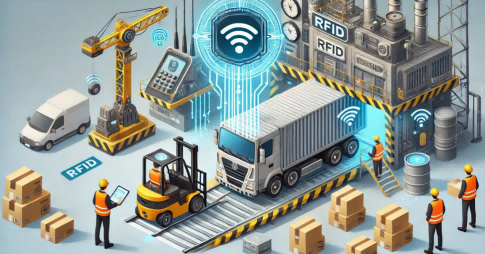
Today, Internet of Things (IoT) solutions centered on Radio Frequency Identification (RFID) technology are driving a profound transformation in asset management. It is far more than just an “electronic tag”; it is a systematic solution for achieving full lifecycle, visible, and intelligent management of equipment and tools.


Core Industry Pain Points: Why Is Management So Difficult?


Before diving into the RFID solution, let's clarify the common challenges across these sectors:

Poor Asset Visibility: High-value machinery, specialized tools, or critical spare parts are difficult to locate in real-time across vast facilities or dispersed job sites, consuming productive hours in "search time."
Low Utilization Rates: Equipment and tools are often forgotten in corners or hoarded by individuals, preventing effective sharing and scheduling, leading to unnecessary duplicate purchases.
Reactive Maintenance & Missed Calibrations: Preventive maintenance and mandatory calibration schedules reliant on human memory or paper records are easily missed, risking equipment failure, safety incidents, and quality non-compliance.
Time-Consuming Physical Audits: Traditional inventory counts require operations to halt, are labor-intensive, and yield inaccurate data.
Significant Loss & Shrinkage: Unintentional "walk-aways" or poor oversight of tools result in substantial financial loss.


The RFID Solution: How to Build a "Smart Asset Network"


An RFID system creates an intelligent management network by giving each item a unique "digital ID" (RFID tag) and integrating it with fixed or handheld readers, network infrastructure, and software platforms.

1. Core Hardware Components:

Metal-Mount RFID Tags: Engineered for metal assets, these tags withstand high temperatures, resist oils and chemicals, and endure impacts. They can be embedded or directly attached, thriving in harsh industrial environments.
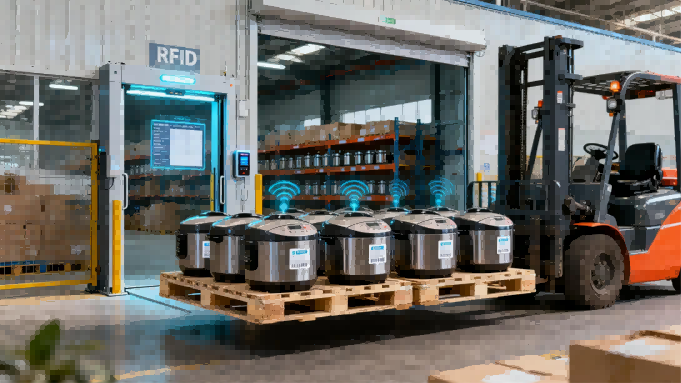
Fixed Readers & Antennas: Installed at tool crib entrances, key facility choke points, or in service vehicles, they enable automated check-in/check-out and zone-level tracking.
Rugged Handheld RFID TerminalsUsed for mobile inventory audits, on-site location checks, and work order associations. Staff can rapidly read multiple tags from a distance without line-of-sight.

2. Enabling Smart Management Scenarios:

Smart Tool Crib / Warehouse Management:
Automated Issuance & Returns: Upon employee badge scan, the system automatically records tools removed (via entry/exit readers) and verifies returns, enforcing accountability.
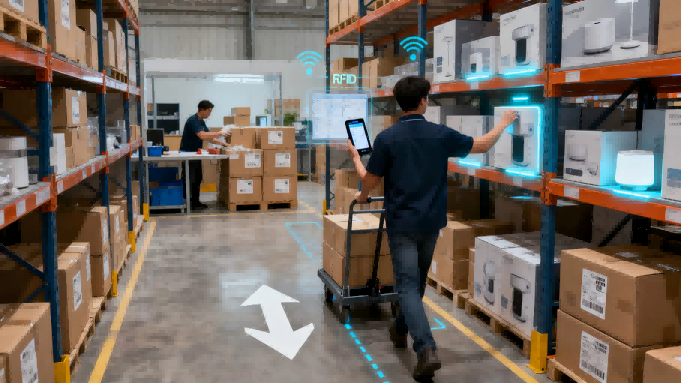
Rapid Inventory Audits: Full facility audits that took days can now be completed in hours with near 100% accuracy using a handheld terminal.
Automated Alerts: The system triggers alerts for tools not returned or when stock falls below minimum levels.


Production & Workflow Optimization:
Work Order Kitting: Required tool lists are digitally linked to production or maintenance work orders. The system validates picks at issuance to prevent errors.
Work-in-Progress Tracking: In manufacturing, RFID tags on jigs, fixtures, and molds enable real-time tracking of their location and status.
Site-Level Location: On construction sites, readers deployed in zones provide granular location data for large equipment or high-value tools.

Maintenance & Compliance Assurance:
Automated Maintenance Triggers: The system generates preventive maintenance work orders based on actual usage hours or cycles.
Calibration Cycle Management: For measuring instruments, the system alerts before calibration expires and can restrict checkout, ensuring only compliant tools are used.
Complete History & Traceability: A full digital history of usage, maintenance, and repair is maintained for each asset, creating a digital twin record.


Industry-Specific Value Propositions


Manufacturing: Increases Overall Equipment Effectiveness (OEE), ensures availability of critical line-side tooling, and reduces production stoppages caused by missing fixtures.
Construction: Manages large equipment (e.g., crane modules, generators) and vast quantities of power tools scattered across multiple projects, reducing loss rates and optimizing inter-project scheduling.
MRO & Facility Management: Ensures technicians' service vehicles are stocked with the correct, compliant tools, accurately tracks tool usage costs, and enhances service response speed and professionalism.

Measuring ROI: The Tangible Benefits


The return on investment from an RFID deployment is multi-faceted:

Direct Cost Savings: Reduce tool loss by 50-80%, increase asset utilization by 20-35%, and cut inventory labor costs by over 90%.
Operational Efficiency Gains: Eliminate up to 30% of time spent searching for items, reduce equipment downtime, and accelerate job completion.
Risk & Compliance Control: Eliminate the use of out-of-calibration tools, achieve 100% scheduled maintenance compliance, and significantly enhance safety and quality standards.
Data-Driven Decision Making: Make smarter procurement, retirement, and resource allocation decisions based on accurate, real-time asset data.


Implementation Roadmap: Your Path to Smarter Management


A successful RFID project starts with clear planning:

Start with a Pilot: Choose a high-pain-point area like a main tool crib or a specific project to validate the technology and quantify benefits.
Tag Selection is Critical: Choose the right RFID tag based on asset material, size, and environmental exposure (temperature, chemicals, impact).
Process Re-engineering: Technology is an enabler. Optimize your management processes and policies to leverage its full potential.
System Integration: Ensure RFID asset data flows into your existing ERP, CMMS (Computerized Maintenance Management System), or project management software to break down information silos.

Conclusion

For manufacturing, construction, and MRO businesses, equipment and tools are not just cost centers—they are core productivity drivers that create value, ensure safety, and guarantee quality. RFID technology transforms these passive assets into connected, communicative data points, building a transparent, efficient, and reliable intelligent asset management ecosystem. This is no longer a choice about "tags," but a strategic decision to enhance core competitiveness and step into the era of Industry 4.0 and smart operations. The time to audit your assets and empower them with intelligence is now.


We are FYJ, a specialized provider of RFID hardware and software solutions with 12 years of professional expertise. We are committed to delivering reliable and innovative asset management technologies for global manufacturing, construction, and maintenance businesses. If your company is facing challenges in equipment and tool management, please contact us for a free customized solution assessment and product trial opportunity. Let our expertise help you achieve a leap in operational efficiency.


--------------------

5 way terminal block Supplier

Picking the Right Terminal Blocks for Your Industrial Work


This article looks at what you need to think about when picking terminal blocks for industrial use. We'll go over five main things: how much current they can handle, how they connect, where they'll be used, what certifications they have, and how easy they are to maintain and expand. The goal is to help you make your electrical systems safer and more reliable.


Why does picking the right terminal block matter so much?


Terminal blocks are key spots for sending current in things like industrial control systems, distribution boxes, new energy equipment, and automated production lines. If you pick the wrong ones, they can overheat, cause voltage drops, mess up signals, and even shut down your system. They might be small, but they're super important for keeping your electrical systems running smoothly.


I. Figure Out the Real Current You'll Be Using


A lot of projects just look at the rated current of a terminal block, but that's usually based on perfect lab conditions. Things get hotter inside a control cabinet, terminals are packed close together, and there's not much air flow, which all adds to the heat.


It's a good idea to add a 20%-30% buffer to the current capacity when you're choosing. So, if your actual current is 16A, you should go for terminal blocks rated for 20A or more.


II. Pick the Right Connection Type for Your Situation


1. Screw-type: Great for high current and power systems. They lock on really tight, but you need to check the screws every so often to make sure they're still tight.

2. Spring-type: Good for places with a lot of vibration. They keep constant pressure, don't need any upkeep, and are very stable.

3. Plug-in: Ideal for PCBs and modular systems. They're quick to install and easy to swap out.


III. Think About Where They'll Be Installed


If you're using them in places that are hot, humid, dusty, or have corrosive chemicals, go for tinned copper conductors and insulation that's rated UL94 V-0 for flame resistance. If needed, think about using a terminal system with good protection ratings.


IV. Check for the Right Certifications


If you're exporting or working on international projects, you'll usually need UL, CE, IEC, or RoHS certifications. If you don't use certified products, your project might get rejected or you could run into legal trouble.


V. Plan for Maintenance and Future Growth


When you're picking parts, don't just think about what you need right now. Also, think about future expansions, how easy they are to maintain, and how standardized they are. Modular designs can save you money on long-term operation and maintenance.


There's no one-size-fits-all terminal block. The best one is the one that fits your needs the best. By planning for enough current, picking the right connection type, using high-quality materials, and making sure you have the right certifications, you can really make your systems more stable and safe.